LinkedIn profile optimization guide 2026: get more recruiter views
Career Advice · ResumeVera Editorial · May 7, 2026 · 12 min read

Last Updated: May 7, 2026 · 12 min read · By ResumeVera Team
In this guide you will learn:
- How to write a LinkedIn headline that gets recruiter clicks (with examples)
- The exact LinkedIn About section formula that works for job seekers
- How to optimize each section so LinkedIn's algorithm surfaces your profile
- India-specific LinkedIn tips for Naukri users and campus job seekers
- Step-by-step checklist to get your profile to LinkedIn's "All-Star" status
Many recruiters use LinkedIn to find and evaluate candidates. Your LinkedIn profile isn't just a social media page. It's the first thing a hiring manager sees after your resume, and often the first thing that comes up when they Google your name.
In 2026, LinkedIn's algorithm has changed significantly. The old advice, "just fill everything in", no longer works. This guide gives you the exact best practices to rank higher in recruiter searches, get more profile views, and turn those views into interview requests.
Try it free: Before optimizing your LinkedIn, check your resume's ATS score. A strong LinkedIn profile works best alongside a resume that matches the wording of the jobs you want.
Why LinkedIn optimization matters more in 2026
LinkedIn is huge, so standing out requires more than a complete profile. Three 2026 changes make optimization critical:
- AI-powered recruiter search: LinkedIn's new AI search ranks candidates by semantic relevance, not just keyword matches. Your profile needs depth, not just keywords.
- LinkedIn Learning endorsements: Recent skill certifications give recruiters more to match your profile on.
- Creator mode is gone: LinkedIn retired creator mode in 2024 and kept most of its tools, including the Featured section, available to everyone. Use Featured to pin your best work, and post when you have something useful to share so recent activity shows on your profile.
Section 1: Your LinkedIn headline (most important field)
Your headline appears in every search result, notification, and comment you make. It's the single highest-impact field on your profile.
LinkedIn headline best practices 2026
Don't just use your job title. Most people write: "Software Engineer at Infosys". That's wasted space.
The formula that works:
- Role + specialization + value proposition + 1-2 keywords
- Example: "Full-Stack Developer | React & Node.js | Building scalable products that ship fast"
- Example: "Data Analyst | Python & SQL | Turning raw data into decisions that reduce costs"
For job seekers: Add "Open to Work" in the headline itself, not just the green frame, since many recruiters search by keywords in the headline directly.
Example: "Software Engineer | Java, Spring Boot, AWS | Open to Backend Roles in Bangalore/Remote"
Headline length
LinkedIn allows 220 characters. Use at least 150. Every unused character is a missed keyword opportunity.
Section 2: Profile photo & background banner
A professional photo makes your profile look complete and easier to trust.
Photo best practices
- Professional headshot: face takes up 60-70% of the frame
- Plain or minimal background (light grey, white, or blurred office environment)
- Smile: approachable photos tend to get more connection requests
- Updated within last 3 years
Background banner
Many people leave the default blue background. Your banner is prime real estate. Use a free design tool to create one that shows:
- Your role or area of expertise
- A brief value statement ("Building data products | 8 years in fintech")
- Your website or portfolio URL
Section 3: The About section (your most underused asset)
The About section is 2,600 characters of SEO-rich, human-readable space. Many people either leave it blank or write a vague paragraph.
About section best practices 2026
Structure it like this:
- Opening hook (1-2 sentences): What you do and who you do it for. Not your career history, but your current value.
- What you're known for (2-3 bullet points): Specific achievements, technologies, or impact areas
- Background in 2-3 sentences: Brief context on your experience and expertise
- What you're looking for (if job-seeking): Be direct: "Currently open to senior data analyst roles at product-led companies in Bangalore or remote."
- Call to action: "Connect with me" or link to a portfolio/resume
Keyword strategy for the About section
LinkedIn's algorithm indexes your About section for search. Include your 5-8 most important professional keywords naturally throughout the text. For a Java developer, that means: Java, Spring Boot, microservices, REST APIs, Agile, AWS or Azure, system design, backend development.
Do NOT stuff keywords in a list at the bottom. It is an old tactic, and it reads badly to the people who view your profile.
Section 4: Work experience, the most keyword-rich section
LinkedIn's algorithm heavily weights your Work Experience section. This is where many people write job descriptions, which is a mistake.
How to write LinkedIn work experience in 2026
Follow the same approach as your resume: Achievement + Metric + Impact.
Bad: "Responsible for developing backend services and maintaining APIs."
Good: "Built 12 REST API microservices in Spring Boot handling 3M+ daily requests. Reduced average response time from 450ms to 80ms through Redis caching."
Include rich media
LinkedIn lets you attach images, PDFs, links, and videos to each work experience entry. Use this to attach:
- Project screenshots or demos
- Certificates or awards
- Links to articles you published or products you shipped
- A PDF of your resume (this makes it easy for recruiters to download)
Section 5: Skills (stop listing 50 skills)
LinkedIn allows up to 100 skills, but your top pinned skills are the ones people see first.
Skills best practices 2026
- Pin your 3 highest-impact skills at the top: make these the skills most mentioned in jobs you want
- Link each key skill to the job, project, education or certification where you used it. LinkedIn retired its skill assessments, so this is now the clearest way to back up a skill
- Remove irrelevant skills. Listing "Microsoft Word" as a skill in 2026 signals you don't know how to prioritize
- Aim for 10-20 relevant skills, not 50+ generic ones
Endorsements still matter
Ask 3-5 colleagues to endorse your top skills. Endorsements add social proof to the skills recruiters see first.
Section 6: Recommendations, the underrated trust signal
Written recommendations are a differentiator few people use well. A few detailed recommendations make a profile more credible to recruiters.
How to get good recommendations
- Ask former managers, senior colleagues, or clients, not peers at the same level
- Give them a template: "If you could mention [specific project], [the outcome], and [one personal quality], that would be really helpful."
- Offer to write one for them first: reciprocity works
- Aim for at least 1 recommendation per 3 years of experience
Section 7: Education, certifications & courses
Incomplete education sections hurt your ranking in recruiter searches that filter by degree.
Education section checklist
- Full institution name (not abbreviation: ATS and LinkedIn both parse this)
- Degree type and field of study (both fields, not just one)
- Start and end dates
- GPA if above 7.5/10 or 3.3/4.0
- Relevant coursework, projects, or thesis (1-2 sentences)
Certifications in 2026
Certifications have become a major search filter. Recruiters at companies like TCS, Infosys, and startups specifically filter for:
- AWS Certified (Solutions Architect, Developer)
- Google Cloud Certified
- Scrum Master / PMP
- Salesforce certifications
- Google Analytics / Data certifications
Add every certification with its exact official name, issuing organization, and expiration date.
Section 8: Activity and visibility
Regular activity keeps your name in front of recruiters and people at the companies you want to join.
Minimum activity for visibility
- 1 post per week minimum: even a 3-sentence observation about your industry
- Comment on 3-5 posts by people in your target companies each week
- Share or react to industry news
- Engage with recruiters who comment on job posts
What to post
You don't need viral content. Recruiters respond to credibility signals:
- A project you completed with what you learned
- A problem you solved at work (without confidential details)
- An industry trend you find interesting with your take
- A certificate or course you finished
- Questions that invite discussion from your network
Section 9: LinkedIn URL (a quick win many people miss)
Your default LinkedIn URL looks like: linkedin.com/in/john-doe-7b234a891
Customize it to: linkedin.com/in/johndoe or linkedin.com/in/john-doe-software-engineer
Why it matters: A clean URL appears in Google search results. When someone Googles "John Doe developer", your LinkedIn profile ranks higher with a clean, keyword-rich URL.
Section 10: Open to Work settings
If you're actively job searching, enable "Open to Work", but use the right settings:
- Visible to recruiters only (not the full green frame) if you're employed and don't want your current employer to see
- Add ALL target job titles, not just one. LinkedIn uses these for search matching.
- Set your preferred locations including "Remote" if applicable
- Set a start date, such as "Immediately" or "In 1 month", since this affects urgency filtering
The LinkedIn profile audit checklist for 2026
Use this checklist before you start applying:
- ☐ Headline uses 150+ characters with role + keywords + value proposition
- ☐ Professional headshot (updated within 3 years)
- ☐ Custom background banner
- ☐ About section is 1,500+ characters with a hook, achievements, and CTA
- ☐ All work experience uses achievement + metric bullet points
- ☐ Rich media attached to at least 1 work experience
- ☐ Top 3 skills pinned and linked to the jobs or certifications where you used them
- ☐ 3+ written recommendations from managers or senior colleagues
- ☐ Education section is complete with all fields filled
- ☐ All certifications added with official names and dates
- ☐ Custom LinkedIn URL set
- ☐ Open to Work settings configured (if job-seeking)
- ☐ Last post was within 7 days
LinkedIn optimization for Indian job seekers: specific tips
The Indian job market has some LinkedIn-specific patterns:
- Location matters: Set your location to the specific city you're targeting (Bengaluru, Mumbai, Hyderabad, Delhi NCR), not just "India". Recruiter filters are city-level.
- Naukri vs LinkedIn: While Naukri still dominates volume job applications in India, LinkedIn is where senior roles and startup opportunities live. Both profiles need to be maintained.
- Service companies vs product companies: The keywords that get you noticed at TCS/Infosys (scale, delivery, process) are different from what gets you noticed at Zomato/Razorpay (ownership, impact, product thinking). Tailor your profile language accordingly.
- IIT/NIT premium: LinkedIn's Indian recruiter community responds strongly to top-tier college names. If you have them, make sure your education section is complete and prominent.
After optimizing: check your resume too
A great LinkedIn profile works with a great resume, not instead of one. Recruiters who find you on LinkedIn will usually ask for your resume. Make sure it's as optimized as your profile.
Check your resume's ATS score for free → See exactly which keywords are missing, which formatting issues could make your resume harder to read when parsed, and what you need to fix before sending it to any recruiter.
Frequently asked questions
How long should my LinkedIn About section be?
Aim for 1,500 to 2,000 characters. Shorter than that and you're missing keyword opportunities. Longer than 2,000 and most readers won't see it all before clicking "see more." Make the first 300 characters (what's visible before "see more") count: lead with your strongest statement.
Should I connect with recruiters I don't know on LinkedIn?
Yes, with a personalised note. A connection request with a message like "Hi [Name], I'm a backend engineer with 5 years in fintech exploring new opportunities. Your company is on my list, happy to connect." is more likely to be accepted than a blank request.
How often should I update my LinkedIn profile?
At minimum, update it every time you: change jobs, complete a certification, start a job search, or achieve something worth noting. Active job seekers should review it weekly and post at least once per week to stay visible in recruiter feeds.
Does LinkedIn's algorithm favor certain types of posts?
In 2026, LinkedIn prioritizes: text posts with high early engagement (comments in the first hour), posts that spark discussion (questions, opinions), and posts from profiles that engage regularly. Video content gets slightly more reach but requires more effort than most job seekers can sustain.
What's the difference between LinkedIn Premium and free for job seekers?
Premium Career is most useful for active job seekers. It includes InMail credits to message recruiters and hiring managers, a list of who viewed your profile, Top applicant jobs that show where you are a strong match, and the option to mark a job as a Top choice when you apply (LinkedIn Premium Career). For passive job seekers, free is fine.
Written and checked by ResumeVera Editorial. How we research and review
Questions
Frequently asked questions
Is your LinkedIn profile visible to recruiters?
Check your LinkedIn headline and About section for missing keywords and get specific fixes. No signup needed.
Check my LinkedIn profile freeGet free ATS tips every week
Actionable resume and ATS tips, when we publish them. No spam. Unsubscribe any time.
Related Articles

Leave Encashment on Resignation in India 2026: Tax Rules, ₹25L Exemption & Calculation
Leave encashment on resignation is taxable for private employees, but a ₹25 lakh lifetime exemption under Section 10(10AA) can make most of it tax-free. This guide covers the exact calculation, the CBDT notification that raised the limit, how the 10-month salary cap applies, and how to claim the exemption correctly.
Read More

CTC vs in-hand salary in India 2026: what's the difference and how to calculate both
CTC is what your employer spends on you. In-hand is what hits your bank account. Understanding every component of the gap between the two lets you evaluate offers accurately, negotiate smarter, and plan your finances correctly.
Read More

How to Calculate Salary Hike Percentage in India (2026): Formula, Tax Impact & Real Net Gain
A 20% salary hike on paper rarely means a 20% rise in take-home pay. This guide covers the exact formula to calculate salary hike percentage, how income tax erodes the headline number, what a real net gain looks like after tax, and how India's 2026 appraisal benchmarks compare across industries.
Read More
Try it
Check this against your own resume
The post above is general. Your file is not. The checker reads it the way a parser would and tells you which of these points it actually breaks.
Check your resume free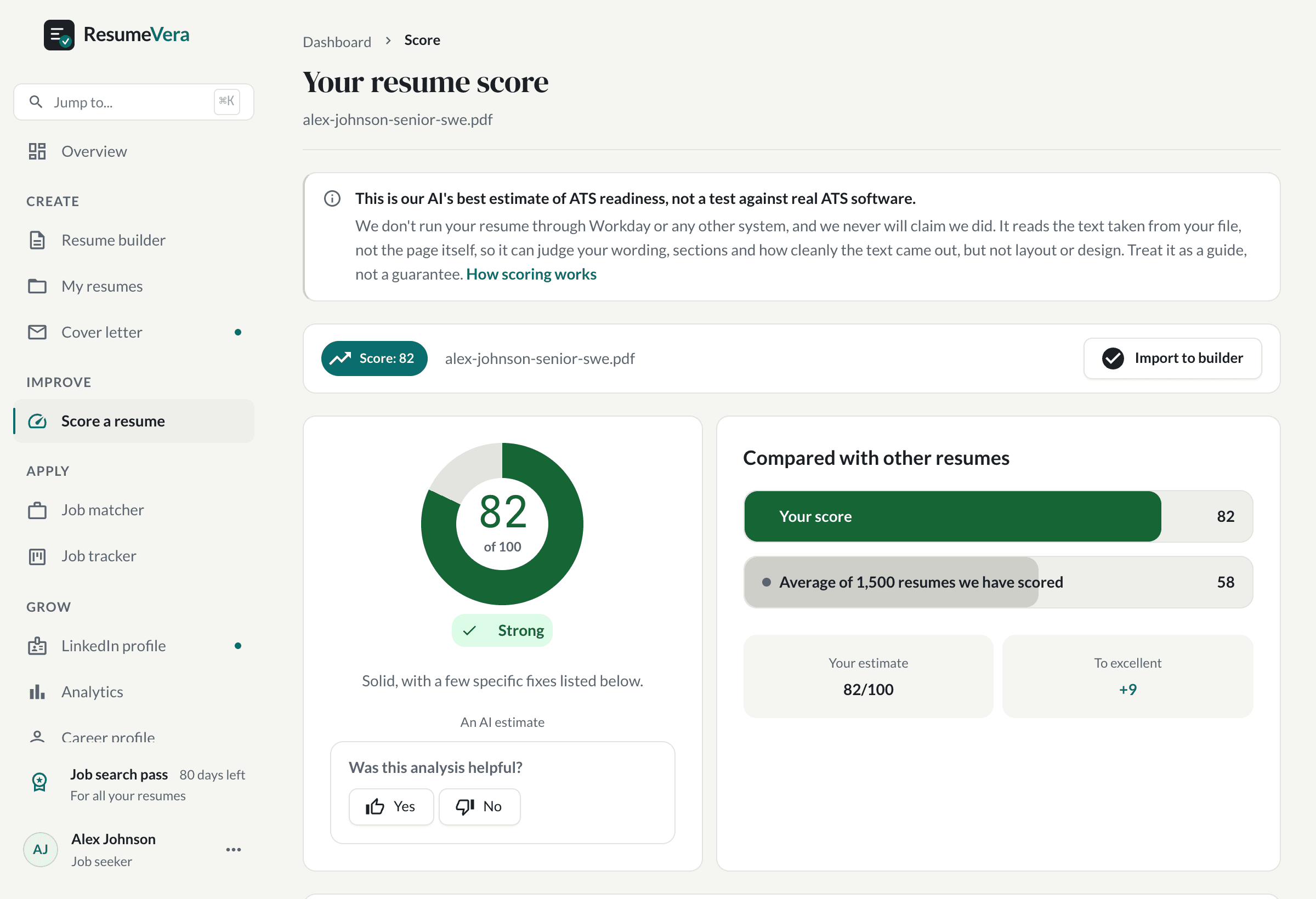
The real score page, with a sample resume and sample scores.
Now check it against your own resume
An honest resume score in seconds. No account, no card.