AI Layoffs Are Exploding in 2026 — Here's How to Make Your Resume Survive AI Screening
Two things are happening simultaneously in 2026 that most job seekers haven't fully connected yet — and the combination is devastating. Companies are cutting tens of thousands of jobs specifically to fund AI investments. And those same companies are using AI-powered screening to filter the flood of applicants when they do post new roles. If your resume isn't built for both realities, you don't exist in their pipeline.
This isn't a motivational guide. It's a technical breakdown of how AI resume screening actually works, why most resumes fail it, and exactly what to change — backed by real 2026 layoff data and research from over 380 recruiters. By the end of this guide, you will understand why your applications have been disappearing into silence, and precisely what to do about it.

Why Are So Many Tech Workers Getting Laid Off in 2026?
Tech layoffs in 2026 are primarily driven by companies redirecting headcount budgets toward AI infrastructure. This is not a cyclical downturn tied to interest rates or a post-pandemic correction — it is a structural shift where human roles are being eliminated specifically to fund AI development, often at the same companies simultaneously hiring AI engineers at record salaries.
93,294 tech employees have been laid off across 106 companies in 2026 so far. According to Layoffs.fyi, this follows a 2025 that saw over 150,000 tech workers lose their jobs across 549 companies — the largest sustained wave of tech job cuts since 2022. In 2026, the pace is accelerating, not slowing.
What separates 2026 from previous cycles is the stated reason. Companies are no longer citing macroeconomic uncertainty or overcorrection from pandemic hiring. They are explicitly naming AI as the driver:
- Atlassian cut 150 customer service roles — CEO Mike Cannon-Brookes cited AI platform enhancements that 'significantly reduced support needs.'
- Paycom laid off over 500 employees, explicitly attributing cuts to 'AI and automation improving back-office efficiencies.'
- Salesforce eliminated hundreds of San Francisco roles weeks after CEO Marc Benioff publicly praised AI's potential to cut customer support costs entirely.
- Just Eat cut 450 jobs while announcing it was 'increasingly using automation and AI, shifting many manual service tasks to automated systems.'
- Fiverr eliminated 30% of its workforce as part of a push to become an 'AI-native' company.
- Canva laid off technical writers after instructing staff to use generative AI tools 'wherever possible.'
The pattern is consistent and accelerating. AI is not preparing to replace jobs in the future. It is replacing them now, at scale, at companies that were considered stable employers twelve months ago.
For job seekers, this creates a compounding problem. The companies cutting jobs to invest in AI are also using AI-powered applicant tracking systems to screen the resumes of everyone applying to their remaining openings. You are being filtered by the same technology that displaced your previous colleagues. Understanding how that filter works is the most critical thing you can do for your job search in 2026.
How Does AI Actually Screen Your Resume?
Applicant Tracking Systems (ATS) screen resumes by parsing your document into plain text, comparing that text against keywords in the job description, and generating a match score before a human ever opens your application. Most employers set a minimum score threshold — candidates below it are never reviewed by a hiring manager, regardless of their actual qualifications.
Here is the exact five-step sequence that happens the moment you click Apply:
- Document parsing: The ATS strips all formatting from your resume and converts it to raw text. Tables, columns, text boxes, and document headers/footers frequently fail to parse — meaning content placed in these elements may simply disappear from your ATS candidate profile entirely.
- Data extraction: The system identifies your contact information, job titles, employer names, dates of employment, education level, and skills from the parsed text. What it cannot parse, it cannot extract.
- Keyword matching: Your extracted content is compared against the job description. Hard skills, exact job titles, certifications, and tools are weighted most heavily. This is the step where most candidates lose points — not because they lack the skills, but because they described them in different words than the job description uses.
- Match scoring: You receive a score, often on a 0–100% scale. Some employers do set a threshold, but it varies by employer and is not published anywhere, so treat any specific figure you see quoted as a guess. A match score is a sorting aid, not a gate that deletes your application.
- Candidate ranking: Hiring managers see a ranked list sorted by match score. The top candidates get contacted first. Everyone below the threshold does not get contacted — regardless of actual ability.
The recruiter research behind this is striking. According to Jobscan's State of the Job Search survey of over 380 active recruiters, 99.7% use keyword filters in their ATS to prioritise applicants. Resumes that include the exact job title receive 10.6 times more interview invitations than resumes that don't. And 76.4% of recruiters start their candidate filtering by skills — not by work history, not by education, but by skills.
The major ATS platforms you will encounter in 2026:
- Oracle Taleo — Used by most Fortune 500 companies. Older architecture, strict about formatting. Single-column plain layouts parse most reliably.
- iCIMS — Common at mid-to-large enterprises. Strong keyword extraction, handles clean skills sections well.
- Greenhouse — Widely used at tech companies and growth-stage startups. More flexible with modern PDF layouts.
- Lever — Common at tech-forward companies. Generally handles clean single-column PDFs well.
- SAP SuccessFactors — Prevalent at large multinationals. Strict formatting requirements, similar to Taleo.
- Workday — Increasingly standard at enterprise companies. Benefits significantly from clean, structured content.

Why Is Your Resume Getting Rejected Before a Human Sees It?
Most resumes fail ATS screening not because the candidate is underqualified, but because of formatting decisions and keyword gaps that cause the automated system to score them below the human-review threshold. These failure points are completely invisible when you view your resume in a PDF reader — but they are fatal in automated parsing.
Formatting problems that break ATS parsers
- Two-column layouts and tables: Content inside table cells is frequently skipped by older ATS platforms including Oracle Taleo. If your skills section lives in a two-column table, those skills may not exist in your ATS candidate record at all.
- Document headers and footers: Name and contact information placed in a document header or footer is routinely not parsed by ATS systems. Your name literally does not appear in the ATS record — a recruiter searching their system for you will not find you.
- Text boxes and shapes: Any text inside a text box, callout shape, or infographic element is invisible to every parser. This kills many popular 'modern' resume templates that use design elements to differentiate candidates.
- Decorative icons and non-system fonts: Skill rating icons such as five-star ratings for Excel proficiency are completely unreadable by ATS systems. Unusual fonts can corrupt text extraction entirely.
- Images of text: Embedding a scan or screenshot of text into your resume makes that content completely inaccessible to automated screening. This is a common failure point in visually designed templates.
Keyword gaps that destroy your match score
- Missing target job title in your header: This is the single highest-impact change you can make to any resume. If you are applying for 'Senior Product Manager' but your header says 'Product Leader,' that exact phrase is absent — and the system scores accordingly. This one change alone can increase your match rate by 15–25 points.
- Using synonyms instead of exact terms: 'Revenue growth' when the job description says 'ARR expansion.' 'People management' when they wrote 'team leadership.' ATS systems do not understand that these phrases mean the same thing — they match strings, not semantic meaning.
- No dedicated skills section: ATS platforms have specific extraction logic for Skills sections. Without one, your skills must be inferred from experience bullets — which is significantly less reliable and results in a lower score even when you possess every required skill.
- Soft skills where hard skills should be: 'Excellent communicator, results-driven team player' scores zero keyword match points for any specific role. Your resume needs hard skills, tools, certifications, and quantified outcomes — not personality descriptors that could appear on anyone's resume.
- Acronyms without full forms: 'ML' and 'Machine Learning' are different strings. If the job description uses the full form and you use only the acronym, you miss the keyword match entirely on that term.
What Does an AI-Proof Resume Format Look Like?
An ATS-proof resume uses a clean single-column layout, places all content in the document body with no headers, footers, tables, or text boxes, mirrors the exact target job title from the job description in the header, includes a flat dedicated skills section positioned before work experience, and writes every bullet point as an action verb plus task plus quantified result.
Section 1 — Contact Header
Your full name on the first line. Directly below: the target job title using the exact wording from the job description. Then: phone number, professional email address, LinkedIn URL, and city or remote preference. The job title in your header is the single highest-weight keyword field in your entire resume — it must mirror the posting exactly.
Section 2 — Professional Summary (2–3 sentences maximum)
Answer three questions in under 60 words: who you are, what you specialise in, and your single biggest measurable career outcome. Example: Senior Data Engineer with 7 years building real-time pipelines on AWS and GCP. Led migration of a 40TB data warehouse that cut query latency by 65%. Seeking a Staff Data Engineering role at a fintech or healthtech company with complex infrastructure challenges.
Section 3 — Skills (flat list, before work experience)
A single unchambered list of 10–15 hard skills, tools, and certifications pulled directly from the job description you are targeting. Include both acronym and full form: 'NLP (Natural Language Processing),' 'AWS (Amazon Web Services),' 'CRM (Customer Relationship Management).' Position this section above Work Experience — it ensures your key competencies appear early in the document parse, improving extraction reliability significantly.
Section 4 — Work Experience
Reverse chronological order. Job title, company name, dates (Month Year – Month Year or Present). Three to four bullet points per role, each following the structure: strong action verb + specific task + quantified result + context where relevant. Never use paragraphs. Every bullet containing a number is substantially stronger than a bullet without one: 'Reduced customer churn by 18% by rebuilding the onboarding flow, saving the company approximately $2.4M annually' is exponentially stronger than 'Worked on improving customer retention.'
Section 5 — Education and Certifications
Degree, institution, and graduation year. Below that, certifications using their full official names: 'AWS Certified Solutions Architect – Associate,' not 'AWS cert.' Spell them out completely — ATS systems search for these exact strings, and abbreviations frequently don't match the filter.
Before vs. After: The Same Candidate, Two Completely Different Outcomes
| Resume Element | Before (ATS-Failing Resume) | After (ATS-Optimised Resume) |
|---|---|---|
| Header / Job Title | Product Leader | Driving Growth | Senior Product Manager | B2B SaaS |
| Layout | Two-column with sidebar panel | Single-column, body text only |
| Skills section | Two-column table, 5 soft skills with star ratings | Flat list: Agile, JIRA, OKRs, A/B Testing, SQL, Roadmapping, Stakeholder Management, Product Analytics, Go-to-Market |
| Experience bullet | Responsible for improving user retention metrics | Increased 90-day user retention by 22% by redesigning the activation flow, reducing time-to-value from 14 days to 4 days |
| File format | Two-column PDF with text boxes and icons | Single-column PDF — no headers, footers, or tables |
| Estimated ATS score | 31% | 78% |
The candidate in both columns has identical experience. The difference is entirely formatting and keyword alignment. One gets to the hiring manager's shortlist. One does not.
What's the Right Keyword Strategy for ATS Systems?
The right ATS keyword strategy mirrors the exact language of the job description, integrates the target job title into both the header and summary, places hard skills in a dedicated flat Skills section, uses both acronym and full form for every technical term, and distributes critical keywords across both the skills section and experience bullets — never artificially stuffed, always with contextual evidence of genuine usage.
Step 1: Extract your target keywords
Copy the full job description into a plain text document. Identify: the exact job title and any role variations used, every hard skill and technical tool named, certifications listed as required or preferred, and any industry-specific acronyms or methodologies. These become your keyword target list for that specific application. Every application needs its own list.
Step 2: Mirror exact phrasing
If the job description says 'stakeholder management,' use that exact phrase — not 'managing stakeholders' or 'stakeholder engagement.' If it says 'Python (pandas, NumPy),' include both the language and the specific libraries. ATS keyword matching is frequently exact-match rather than semantic — two phrases that mean the same thing to a human may score completely differently against the same filter.
Step 3: Use both acronym and full form for every key term
Protect yourself against ATS inconsistency: write 'Search Engine Optimisation (SEO),' 'Customer Relationship Management (CRM),' 'Machine Learning (ML),' 'Natural Language Processing (NLP).' This doubles your keyword match surface area on every technical term without adding clutter. Apply this to every significant acronym in your target role.
Step 4: Distribute across skills and experience
Your most critical keywords must appear at minimum twice: once in the Skills section where ATS extraction is most reliable, and once naturally in an experience bullet that demonstrates real usage. Your exact target job title must appear in your header, and where it reads naturally, also in your 2-line summary.
Step 5: Every keyword needs context
A resume that reads as a keyword list is immediately flagged by human reviewers the moment it clears the ATS. Every keyword must appear in a statement that demonstrates genuine experience: 'Managed end-to-end product delivery across 4 product lines using Agile and OKR frameworks, leading a cross-functional team of 12' is keyword-rich and contextually credible. A Skills section of 40 isolated terms with no experience bullets supporting them is not.
What Are the Biggest ATS Myths Job Seekers Still Believe?
The most damaging ATS myths lead candidates to actively harm their own applications — through hidden keyword lists, over-designed templates, and the assumption that one strong resume can be submitted to dozens of different job descriptions with equal effectiveness.
- Myth: Hiding white-text keywords tricks the ATS. Modern ATS platforms flag content-colour mismatches as spam manipulation. Human reviewers are explicitly trained to search for this technique. Attempting it will disqualify you at both the automated and human review stages simultaneously.
- Myth: PDF always works fine. PDF is safe for modern platforms like Greenhouse and Lever. It is genuinely unreliable for Oracle Taleo and older enterprise systems that frequently fail to parse complex PDF layouts. When uncertain, use a clean single-column PDF with no embedded fonts or design elements. If you know the company uses Taleo, a clean .docx file is the safer choice.
- Myth: Great visual design makes you stand out. Design is completely invisible to ATS. A beautifully designed two-column resume with brand colours, custom icons, and infographic charts scores zero additional keyword match points and may parse as empty. Visual design is appropriate after you have cleared the ATS filter — not as a strategy to clear it.
- Myth: One strong resume works for every application. Each job description uses different keywords weighted differently. A resume precisely tailored to one job description will consistently outscore a generic resume submitted to fifty openings. Ten well-targeted applications with tailored resumes will generate more interviews than one hundred untailored ones.
- Myth: ATS is only about keywords — format doesn't matter. Formatting determines whether your keywords are visible to the ATS in the first place. A table-based layout containing every required keyword still scores zero if the parser skips the table cells. Format and keyword alignment are equally important — and both must be correct simultaneously.
What Should You Do in the Next 48 Hours?
A 48-hour ATS rescue plan focuses on removing formatting that breaks parsers, rebuilding keyword alignment against a specific job description, validating with a free ATS tool before submitting, then making 5–10 targeted and tailored applications with the improved resume rather than scattering dozens of identical ones.
Hours 0–2: Fix your format
- Move your name, job title, and contact information into the document body — remove them from headers and footers
- Delete all tables, columns, text boxes, and sidebar elements — convert to plain bulleted lists
- Convert to a clean single-column layout throughout the entire document
- Save as a standard PDF — test by copying all text from the PDF to confirm every section is readable as plain text
Hours 2–6: Rebuild your keyword alignment
- Select 3 job postings that match your target role and current seniority level
- Extract the exact target job title and 10–15 hard skills from each posting
- Update your header to include the exact job title of the specific role you are targeting
- Rebuild your Skills section as a flat list using the extracted keywords, both acronym and full form
- Rewrite your 5 most recent experience bullets to include relevant keywords and at least one quantified result per bullet
Hours 6–12: Validate before you submit anything
- Run your updated resume through a free ATS checker against your target job description
- Target a keyword match score of 75% or above before submitting any application
- Confirm your name, phone number, and email address appear correctly when the document is viewed as plain text
- If your score is below 70%, return to your Skills section and add the missing keywords identified by the checker
Hours 12–48: Apply with precision
- Submit 5–10 targeted, tailored applications — not 50 generic ones
- Track every application in a spreadsheet: company, role, ATS platform if known, date submitted, follow-up date
- Set a 5 business day follow-up reminder for every application
- Create a tailored resume version for each specific job description — do not reuse the same file across different roles
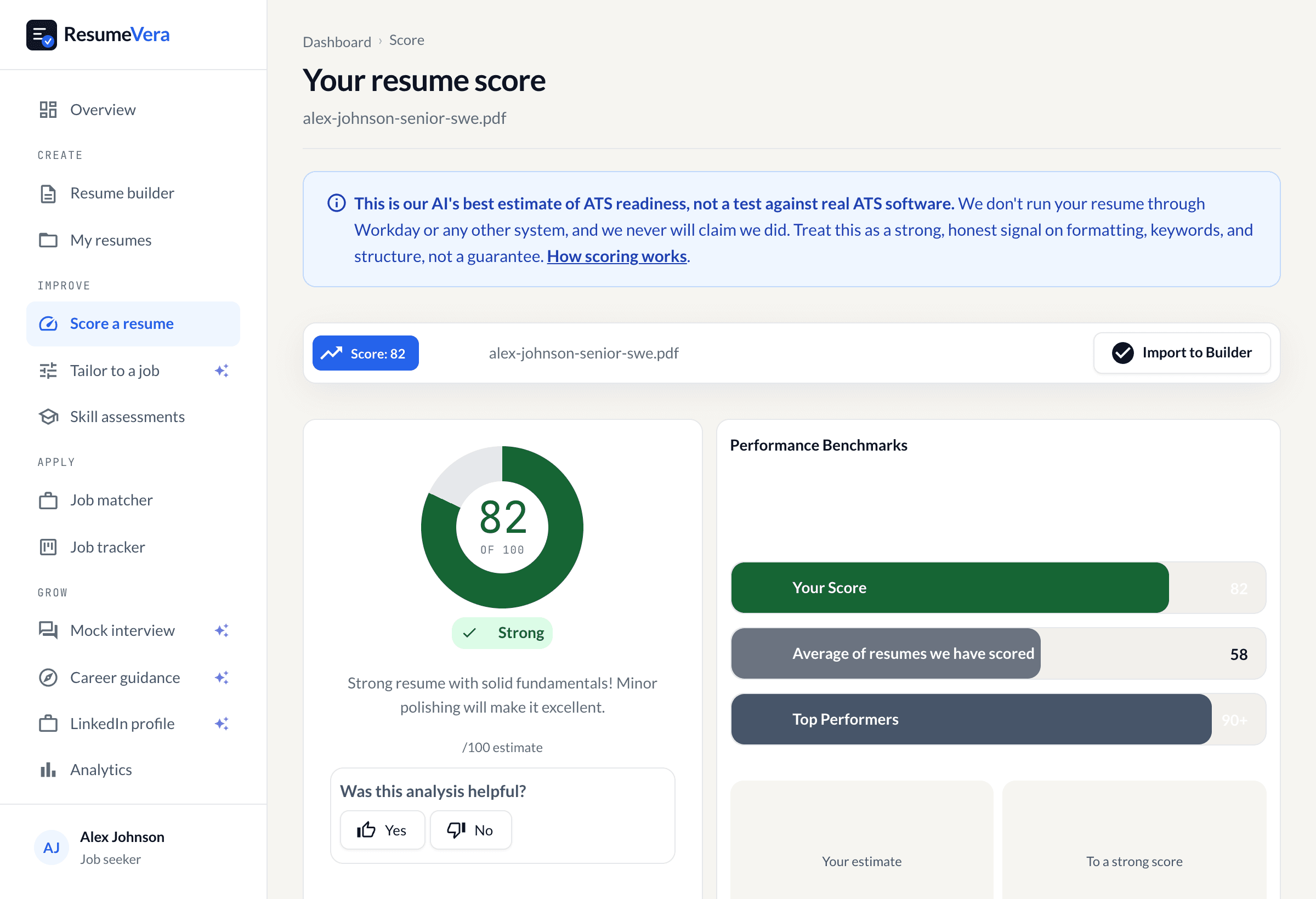
If you want to skip the manual keyword extraction and formatting process entirely, ResumeVera's resume builder handles ATS formatting, keyword matching, and scoring automatically. Paste the job description and the tool identifies exactly which keywords you are missing and which formatting issues to fix. Free to start with no account required.
Frequently Asked Questions
Will AI replace my job in 2026?
AI is restructuring roles rather than eliminating all employment uniformly. In 2026, over 93,000 tech workers have been laid off with AI cited as a direct driver at companies including Atlassian, Paycom, Salesforce, and Canva. Roles at highest risk are repetitive and rule-based — data entry, routine customer support, basic document processing. Roles involving judgment, complex problem-solving, and relationship management are more resilient. The most effective response is making your resume visible enough to land an interview where you can demonstrate the skills that AI cannot replicate.
Does every company use ATS to screen resumes?
The vast majority of medium and large companies do. According to Jobscan's survey of over 380 active recruiters, 99.7% use keyword filters in their ATS. Systems like Taleo, iCIMS, Greenhouse, and Lever filter candidates before a human reviews anything. Small startups may still screen manually — but you typically cannot determine which approach a company uses until after you have applied, so ATS optimisation is the safer default for every application.
Should my resume be a PDF or Word document?
PDF is safe for modern platforms like Greenhouse and Lever but unreliable for older enterprise systems like Oracle Taleo, which frequently fail to parse complex PDF layouts. The safest universal choice: a clean, single-column PDF with no headers, footers, tables, or text boxes. If a specific job application requests a .docx file, always follow that instruction — it overrides any general best practice.
How many keywords should I put on my resume?
Target 60–80% keyword coverage of the hard skills and job titles in the specific job description — typically 10–15 keywords integrated naturally into your Skills section and experience bullets. Every keyword must appear with context that demonstrates genuine usage. A recruiter who sees your resume after the ATS will immediately disqualify anything that reads as a keyword dump without supporting experience to validate the claims.
Can a well-qualified candidate be rejected by ATS?
Yes — and it happens constantly. A highly qualified candidate with a poorly formatted or keyword-mismatched resume will score lower than a less-qualified candidate who precisely mirrors the job description's exact language. The ATS ranks by match rate, not by actual experience or capability. This is why formatting and keyword strategy matter as much as your qualifications — not instead of them, but as the prerequisite for your qualifications ever being seen.
What is the fastest way to check if my resume is ATS-friendly?
Run it through a free ATS checker like ResumeVera's. Paste your resume and the specific job description, and within 30 seconds you receive a keyword match score, a list of the missing skills the ATS is looking for, and specific formatting flags. No account is required to get your baseline score and start improving.