Free Resume Builders That Actually Work for ATS (2026 Comparison)
The internet is full of free resume builders. Most produce a nice-looking PDF. Far fewer produce a resume that passes ATS parsing reliably — which is the actual requirement for the most Fortune 500 companies that use applicant tracking systems to screen candidates.
This guide explains what separates a free resume builder that works from one that looks good but gets filtered out, and what to look for when choosing one.
What "Works for ATS" Actually Means
A resume builder that works for ATS needs to satisfy two criteria:
1. Clean parsing output. The generated PDF or DOCX must be readable by ATS parsers without scrambling your information. This means single-column layout, standard fonts, no tables or text boxes, contact information in the main document body, and correctly structured section headers.
2. Keyword-optimized content. ATS systems score resumes against the specific job description. A builder that does not help you identify and include the right keywords for each role leaves the most important part of ATS optimization entirely up to you.
Most free resume builders address the first criterion to varying degrees. Very few address the second without a paywall.
What to Look For in a Free Resume Builder

ATS-Safe Template Output
The most important test: paste the exported PDF text into a plain text editor (on Mac: open the PDF in Preview, select all, copy, paste into TextEdit). If the text is readable in the correct order — contact info first, then experience, then education, then skills — the builder produces ATS-safe output. If words from different sections are mixed together or contact information is missing, the parser will have the same problem.
Builders that offer visually complex two-column templates as their default are a warning sign. The default template should be clean and single-column.
Real-Time ATS Scoring
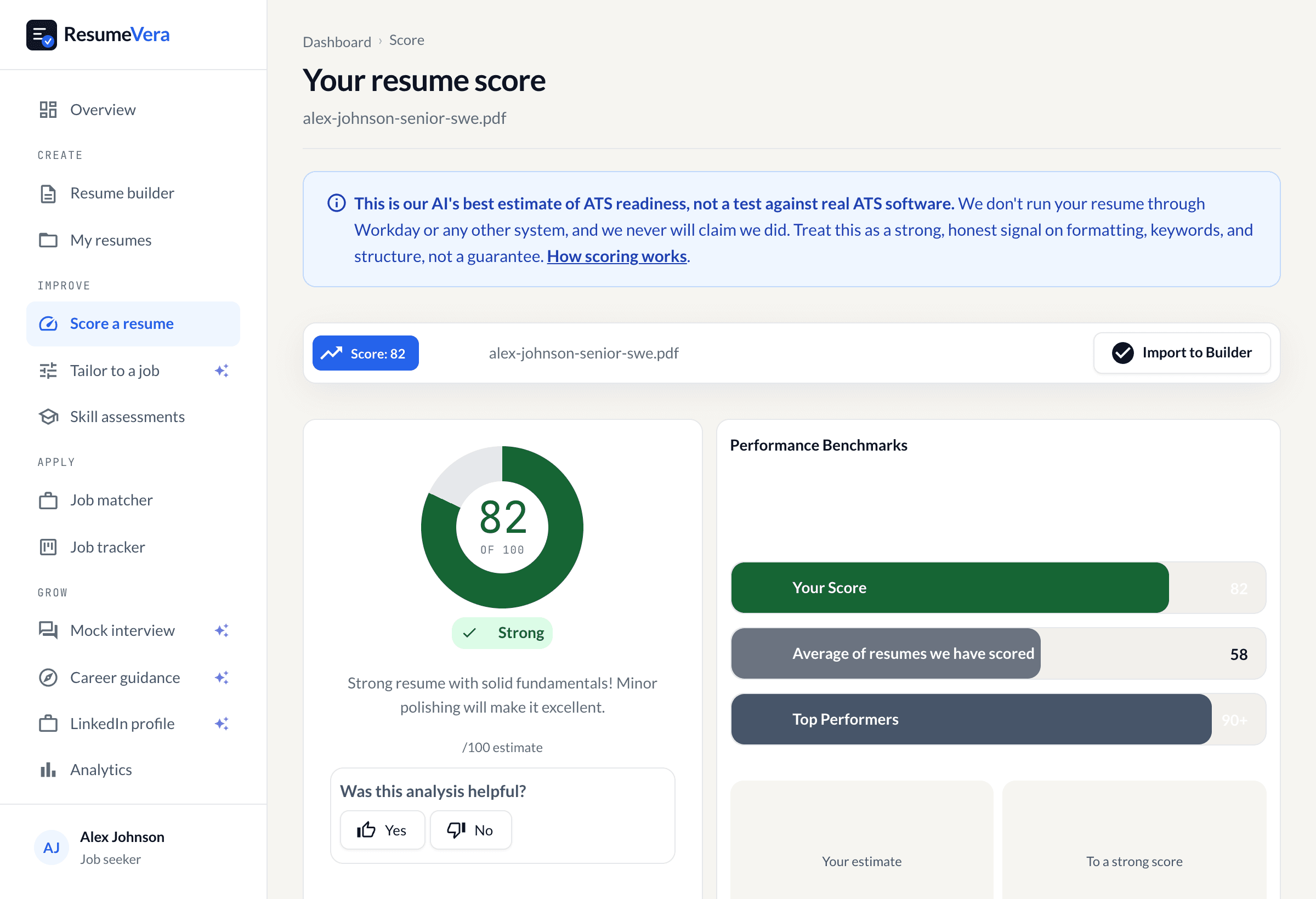
A free builder that shows your ATS compatibility score as you write — ideally against a specific job description you paste in — is exponentially more useful than one that just generates a document. Without scoring, you have no idea whether your resume will pass the filter at the company you are targeting.
This feature is rare in free tools. Most put ATS scoring behind a paywall. ResumeVera includes a real-time ATS score in its free tier because the score itself is the most useful tool for improving your resume.
Keyword Gap Analysis
Paste in the job description. The builder should show you which keywords from the JD appear in your resume and which are missing. This lets you target your customization efficiently — adding the specific skills and phrases the ATS is screening for — rather than guessing.
Professional Summary Guidance
The professional summary is a high-value section for ATS keyword density, and it is the section most people write worst. A builder that offers AI-assisted summary drafts, tailored to your target role, saves significant time and usually produces better keyword integration than writing from scratch.
Bullet Point Assistance
Action verb + impact + quantification is the formula for a strong resume bullet. Most people write weak bullets: "Responsible for managing team." Good builders suggest stronger formulations: "Led 8-person engineering team delivering 3 product launches, each on time and under budget." AI bullet suggestions that understand your role and seniority are a meaningful differentiator.
The Key Limitations of Free Resume Builders
It is worth being clear about what free tiers legitimately limit and what limitations signal a worse product overall:
Reasonable free limitations: Number of resumes (1-2), export formats (PDF only, not DOCX or other formats), template count (5-10 instead of 50+), number of AI rewrites per month, advanced analytics.
Limitations that suggest the core product is not good: Watermarks on the exported resume, contact information redacted until you pay, no way to download without credit card, ATS score always shows 0% until you upgrade regardless of what you write.
The goal of a legitimate free tier is to give you a useful tool that demonstrates value and earns an upgrade through that value. The goal of a manipulative free tier is to get you deep into a resume before revealing that the core feature is locked.
The Most Important Free Feature: Persistent Resumes
One underrated free feature is persistent storage — the ability to save your resume and come back to it. Job searches take months. Being able to revisit and update your resume without rebuilding from scratch each time is table stakes for a useful tool.
Equally important: the ability to duplicate your resume and customize each copy for a different role without overwriting the original. If you are applying to both a "Senior Product Manager" role and a "Director of Product" role, you want slightly different resumes for each — a good builder makes this easy.
ResumeVera Free Resume Builder: What Is Actually Free
ResumeVera's free tier includes:
- Full resume building — all sections, unlimited edits
- Real-time ATS score as you write
- Keyword gap analysis against a pasted job description
- ATS-safe templates (single-column, tested against major ATS platforms)
- AI-generated bullet point suggestions
- PDF export
- Resume storage — save and return across sessions
The free tier does not include: full AI rewrites (which regenerate entire sections), premium template library (15+ designs vs. 5 in free), advanced analytics, and DOCX/TXT export formats.
The principle is that you can build a genuinely competitive resume for free. Premium is for people who want to go faster, apply to more roles, and squeeze every percentage point of optimization.
How to Get the Most Out of a Free Resume Builder
Tailor for Every Application
The single most effective use of a free resume builder is customization. Using the same resume for every application is the most common and most costly mistake in job searching. Free builders with ATS scoring make customization practical — you can see your score change as you add keywords from the specific JD, so you know when you have done enough.
Aim for an ATS match score of 70%+ before submitting. Every 10 percentage points of improvement in ATS score meaningfully increases the probability that a human recruiter sees your resume.
Paste the Job Description Before Writing Your Summary
Start your resume session by pasting the job description into the keyword analyzer. This gives you the full picture of what the ATS is screening for before you write a single word. Write your professional summary last, after you know which keywords you need to include.
Quantify Before You Submit
ATS systems and human readers both respond to numbers. Before you submit, review every bullet point and ask: can I add a number? Team size, revenue, percentage improvement, cost reduction, scale of users or transactions. Even approximate numbers are better than none.
Use the Copy-Paste Test
Before submitting to any important role, copy your resume text and paste it into a plain text editor. Read it top to bottom. If it reads correctly in plain text, an ATS will parse it correctly. If anything looks wrong, identify the source in the builder and fix it before exporting.
Bottom Line
A free resume builder works for ATS if it generates clean, single-column output and — ideally — shows you your ATS score against the specific job you are targeting. Most free builders produce output that looks fine to human eyes but fails ATS parsing. The prettier and more design-heavy the default templates, the more likely this is the case.
ResumeVera's free resume builder was built with ATS compatibility as the primary constraint. Every template is tested against major ATS parsers. The free ATS score feature is there because we believe you should know whether your resume will pass before you submit it — not after you have been waiting three weeks for a response that is not coming.
Build your resume for free at ResumeVera. No credit card. No expiry. ATS score included.