Free LinkedIn Profile Checker & ATS Score
LinkedIn's recruiter search ranks profiles by keywords, just like an ATS. Paste your About section to see your score, missing keywords, and exact fixes. Free, instant, no signup.
LinkedIn Headline (optional)
Target Role (optional)
Your LinkedIn Skills (optional)
Go to your LinkedIn profile → Skills section → copy and paste all skills here. Scored separately (+20 pts).
LinkedIn About Section*
0 words
Why LinkedIn profile optimisation matters
87%
of recruiters use LinkedIn to find candidates
3×
more views with role-specific keywords
75%
of hiring managers check LinkedIn before calling
40%
more clicks on profiles with quantified metrics
Does LinkedIn use ATS to filter profiles?
LinkedIn isn't technically an ATS, but its recruiter search engine functions exactly like one. When a recruiter filters for "Senior React Developer in Bangalore with 5+ years," LinkedIn ranks matching profiles by keyword relevance, completeness, and recency. Profiles missing the target keywords simply don't appear, no matter how qualified you are.
Recruiter Search = ATS Filter
LinkedIn Recruiter filters by job title, skills, location, and keywords. If your About section doesn't include the exact terms recruiters search for, you're invisible.
Keywords Beat Connections
Profiles with 5+ role-specific keywords in their About section appear in 3× more recruiter searches, even with fewer connections than less-optimized profiles.
About + Skills + Headline All Indexed
LinkedIn indexes your headline, About section, Experience descriptions, and Skills separately. Each section needs its own keyword strategy, your headline especially.
How the LinkedIn optimiser works
Three steps. Two minutes. One clearer profile strategy.
Paste Your About Section
Copy your LinkedIn About text and optionally add your headline and target job role for role-specific keyword matching.
Get Your ATS Keyword Score
See your 0–100 score across four dimensions: profile length, keyword match, quantified achievements, and action verb strength.
Apply the Top Fixes
Act on the specific improvements, add missing keywords, quantify achievements, and start sentences with stronger verbs.
Five ways to make a LinkedIn profile parse
Use your exact target job title in your headline
Don't use creative titles. If you want to be found as a 'Product Manager,' use 'Product Manager,' not 'Product Strategist' or 'Growth Leader.' Recruiters filter by exact titles.
Front-load keywords in your About section
LinkedIn shows only the first 3 lines before the "See more" click. Put your most important keywords, such as job title, key skills, years of experience, in the first two sentences.
Add all relevant skills to your Skills section
LinkedIn lets you add 50 skills. Fill them. Recruiters filter by skills, and your Skills section gets indexed separately from your About section. Each skill is an additional keyword.
A LinkedIn about section, before and after
The difference between a 34/100 profile and an 82/100 profile for a software engineer:
Before, Score: 34/100
"I am a software developer with experience in web development. I have worked on various projects and am passionate about coding. I enjoy working in teams and am always looking to learn new things. Currently looking for new opportunities."
No action verbs
No metrics or numbers
Zero role-specific keywords
Only 45 words, too short
After, Score: 82/100
"Senior Software Engineer with 6 years building scalable Node.js and React applications. Led migration of 3 legacy monoliths to microservices, reducing infrastructure costs by 42%. Delivered features used by 500K+ monthly users at Razorpay. Skilled in AWS, Docker, and CI/CD pipelines."
3 strong action verbs (Led, Delivered, Built)
3 quantified metrics (42%, 500K+, 6 years)
Role keywords: Node.js, React, AWS, Docker
62 words, optimal length
Questions
Frequently asked questions
Everything you need to know about LinkedIn profile optimization and recruiter search.
Start from the resume
The screen that rewrites your headline and About
Paste your About section and the role you are aiming at. A model rewrites the two parts a recruiter reads first, and you copy them straight into LinkedIn.
Rewrite my profile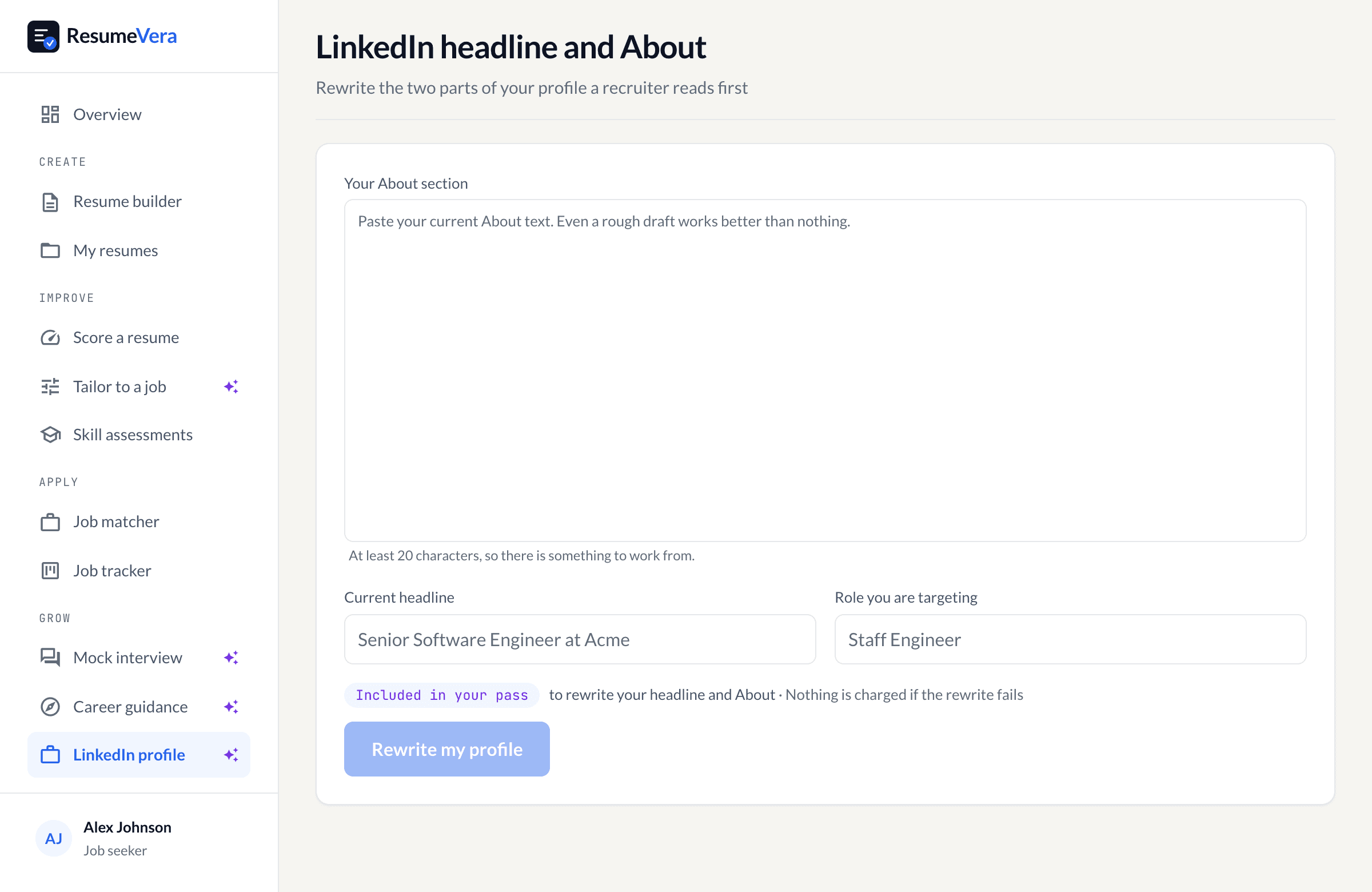
The real screen. It rewrites the headline and About from what you paste, and nothing else.
Also check your resume ATS score
Your LinkedIn profile and resume both need ATS optimization. Check your resume score free, no signup, results in 30 seconds.