Resume Builder vs Resume Template: Which Is Better for ATS?
When you start building your resume, you face a choice: use a resume template (a pre-designed document you fill in) or a resume builder (an online tool that generates the document for you). Both promise a professional-looking result, but their impact on ATS compatibility, and your interview rate, is very different.
This guide breaks down the real differences, explains which approach is better for getting past ATS, and tells you when to use each.
What Is a Resume Template?
A resume template is a pre-designed document, usually a Word, Google Doc, or Canva file, that you download and fill in with your own information. The design is fixed. You replace the placeholder text with your details and save it as a PDF or DOCX.
Templates range from plain Microsoft Word defaults to elaborate multi-column designs from Canva with custom fonts, color blocks, and sidebar sections. The design quality varies enormously. So does the ATS compatibility.
What Is a Resume Builder?

A resume builder is an online tool that guides you through adding your information section by section, then generates a formatted resume for you. You fill in fields: work history, education, skills, summary, and the tool outputs a complete document.
Modern resume builders like ResumeVera also add a layer of intelligence: real-time ATS scoring, keyword gap analysis against specific job descriptions, AI-generated bullet point suggestions, and formatting validation. The resume is generated from clean, structured data, which makes it reliably parseable by ATS systems.
The Core ATS Problem with Resume Templates
Most resume templates are designed to look good to human eyes, not to be read by ATS parsers. The most popular template designs on Canva, Etsy, and even Microsoft's own template gallery contain structural elements that break ATS parsing:
Multi-Column Layouts
The most popular resume design of the last decade is a two-column layout: a narrow left sidebar with contact info and skills, and a wide right column with experience and education. It looks clean and modern. It also frequently fails ATS parsing.
When a two-column PDF is passed to most ATS parsers, the text is read horizontally, not column by column. The result is garbled: a mix of skills from column one and job titles from column two appearing on the same parsed line. Your software skills may end up attached to your job at a different company. Your name may appear next to a date.
According to testing by resume research firms, 43% of visually attractive Canva resume templates fail basic ATS parsing tests. The prettier the template, the more likely it contains layout elements that break parsers.
Tables and Text Boxes
Many templates use tables or floating text boxes to organize sections like contact info, skills, or languages. HTML and legacy ATS parsers frequently skip table content entirely. Skills listed in a table may simply not appear in the parsed data at all, which means no keyword matching on your core competencies.
Headers and Footers
Some templates place your name and contact information in the document header. Most enterprise ATS systems (including Taleo) do not parse header and footer content. Your contact information may be completely invisible to the system.
Custom Fonts and Graphics
Decorative fonts that are not system-standard (Arial, Calibri, Times New Roman, Georgia) may not render correctly when converted by an ATS parser. Graphics, icons, dividers, profile photos, skill rating bars, cannot be read at all and sometimes cause the surrounding text to be misread.
When Resume Templates Work (And When They Don't)
Resume templates are not universally bad. A clean, simple Word template with single-column layout, standard fonts, and no tables or graphics can be perfectly ATS-compatible. The key is choosing the right one.
Templates that work well for ATS:
- Plain Microsoft Word templates (single column, no graphics)
- Google Docs resume templates (the simple ones, not the modern stylized versions)
- LaTeX resume templates designed for technical roles
- Any template that passes the copy-paste test: paste it into a plain text editor and verify it reads cleanly
Templates that frequently fail ATS:
- Any Canva template with columns, sidebars, or design elements
- Templates with skill rating bars or visual indicators
- Templates with photos or profile images
- Templates with custom icons for contact information
- Any template where contact info is in the document header
Why Resume Builders Win for ATS Compatibility
A well-built resume builder generates your resume from structured data fields, not from a visual layout. This means:
The output is always ATS-compatible. Because the template is programmatically generated from structured data, not from freeform document editing, the layout, fonts, and section structure are consistently ATS-safe. There are no rogue tables, no text boxes, no sidebar that a parser misreads.
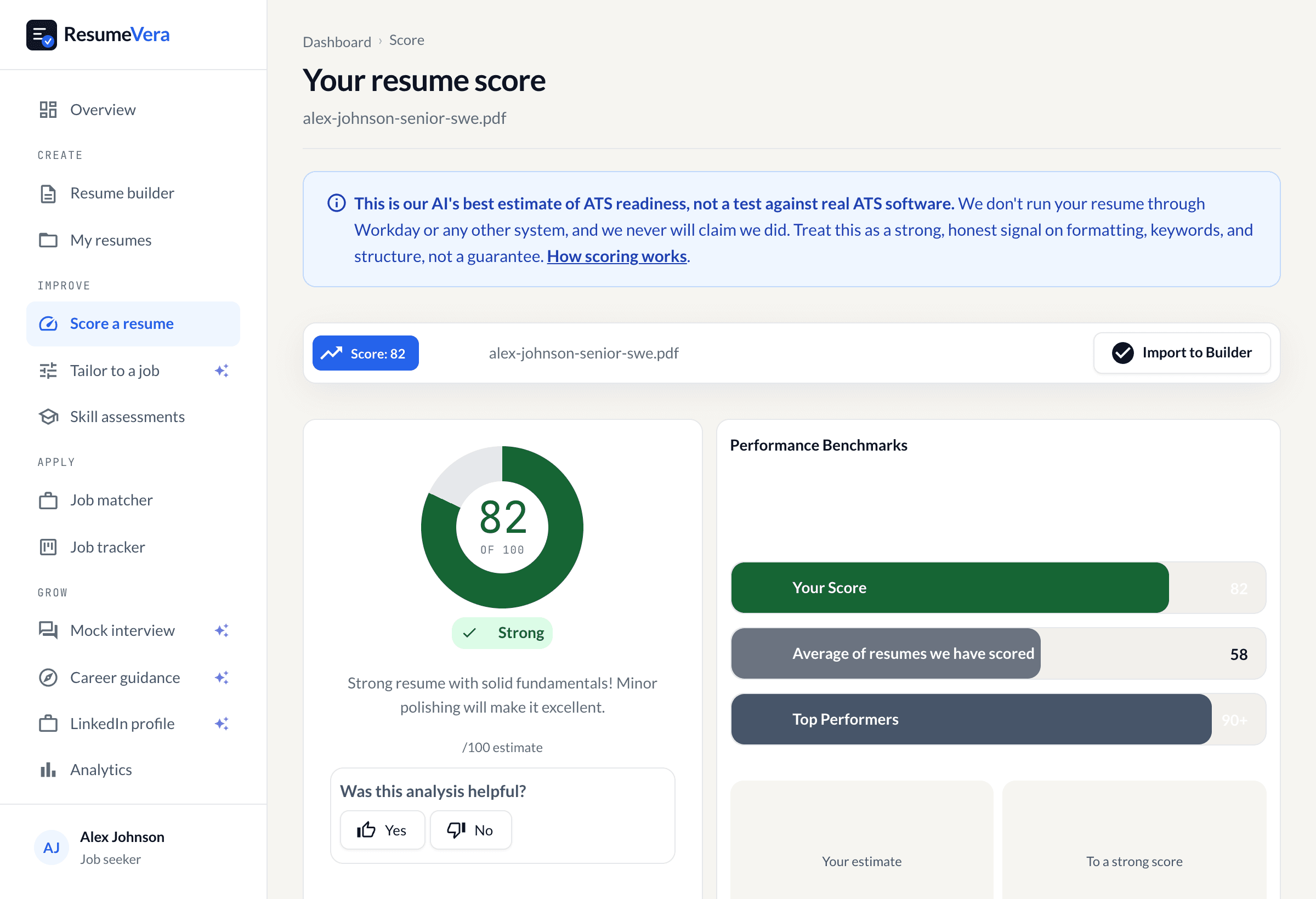
You can see your ATS score before you apply. Builders like ResumeVera show your ATS compatibility score in real time. You know whether your resume will pass before you submit, not after you get ignored. Templates offer no such feedback.
Keyword optimization is built in. Paste the job description and the builder identifies which of your qualifications match and which keywords are missing. You can add them in context, in your experience bullets, not just in a skills section. This is how modern ATS semantic matching works.
Format is enforced. You cannot accidentally create a multi-column layout or paste content into a text box in a well-designed builder. The tool enforces ATS-safe structure by design.
The Hidden Cost of Template Friction
There is a practical argument for builders that has nothing to do with ATS: speed and consistency across applications.
With a template, customizing your resume for each role means editing a Word document, reformatting if things move, re-exporting to PDF, and repeating. Most people end up submitting the same resume for every job because customization is too slow.
With a builder, your core information is stored. To target a new role, you adjust your summary and your keyword emphasis, see your updated ATS score, and export. The friction of tailoring is lower, which means you are more likely to actually do it. Tailored resumes consistently outperform generic ones in both ATS scoring and interview rate.
When to Still Use a Template
Templates remain appropriate in specific situations:
Creative roles where portfolio matters more than ATS. Graphic designers, UX designers, and art directors often submit to companies that evaluate the resume as a design artifact. In these contexts, a visually distinctive template may outweigh ATS concerns, especially if the application is through a direct referral or creative portfolio platform.
You already have a clean, ATS-safe template that works. If you have a simple, single-column Word template that passes ATS testing and you are getting interviews, do not change it for the sake of changing it.
Academic CV formats. Academic job applications use a CV format with different conventions than corporate resumes. Specialized LaTeX templates for academic CVs are often the right tool for faculty and postdoc applications.
The Bottom Line: Builder for ATS, Template for Design-Forward Roles
For most job seekers applying to corporate roles, and especially for anyone using job boards, company career pages, or LinkedIn Easy Apply, a resume builder is the better choice for ATS compatibility. The structural guarantees, real-time scoring, and keyword optimization tools give you a meaningful edge over candidates submitting a Canva template that the ATS cannot correctly parse.
If you are in a creative field and visual presentation matters, choose a simple ATS-safe template and submit through direct referral whenever possible.
For everyone else: use a builder, check your ATS score, target your keywords, and submit a tailored resume. That combination beats a beautiful template with a 40% chance of parsing failure.
Start With ResumeVera's Free Resume Builder
ResumeVera's resume builder generates ATS-safe resumes, shows you your compatibility score in real time, and identifies the keywords you're missing for each specific job you're targeting. Build for free, no credit card required.