Top 10 ATS Resume Mistakes to Avoid (And How to Fix Them)
Your resume could be perfect for the job, but if it doesn't pass the Applicant Tracking System (ATS) screening, it will never reach human eyes. With Many resumes being automatically rejected by ATS software, understanding and avoiding common mistakes is critical to your job search success.
This guide breaks down the ten most frequent ATS errors that prevent qualified candidates from landing interviews, provides real-world examples, and offers practical solutions you can implement immediately.
1. Using Complex Formatting and Design Elements
The Problem
While visually impressive resumes with graphics, tables, and creative layouts may catch a human recruiter's eye, they often confuse ATS parsers. These systems are designed to read plain text, and complex formatting elements cause information to be scrambled, misplaced, or completely lost during parsing.
Common Formatting Issues
- Tables: Many resume templates use tables to organize content, but ATS systems often read tables left-to-right rather than top-to-bottom, scrambling your information.
- Text Boxes: Content in text boxes is frequently ignored by ATS parsers or placed in the wrong section.
- Multiple Columns: Two or three-column layouts look clean but cause ATS to read across columns, mixing different sections of your resume.
- Graphics and Images: Icons, charts, photos, and infographics cannot be read by ATS software and waste valuable space.
- Headers and Footers: Contact information or other details placed in headers and footers are often invisible to ATS systems.
Bad Example
Resume using a two-column template with skills in the left column and experience in the right column, plus a photo and graphic skill bars.
When parsed by ATS, the information appears jumbled: Skills from the left column interrupt work experience descriptions, job titles appear in wrong locations, and the parsing completely fails to recognize section headers.
Good Example
Clean, single-column resume with clearly separated sections. Skills listed in simple bullet points. No graphics or images.
The ATS successfully parses all sections, correctly identifying work experience, education, skills, and contact information. Every piece of information is categorized properly in the database.
The Solution
- Use a single-column layout with clear section separations
- Avoid tables, text boxes, and columns for content organization
- Stick to standard fonts (Arial, Calibri, Times New Roman, Georgia)
- Keep all critical information in the main document body
- Save decorative elements for your LinkedIn profile or portfolio website
- Use simple bullet points instead of graphics or special characters
2. Missing or Non-Standard Section Headers

The Problem
ATS systems rely on recognizable section headers to categorize information correctly. When you use creative or non-standard headings, the ATS may fail to identify entire sections of your resume, causing it to miss critical qualifications.
Examples of Problematic Headers
- "Where I've Worked" instead of "Work Experience" or "Professional Experience"
- "My Journey" instead of "Career Summary" or "Professional Summary"
- "What I Know" instead of "Skills" or "Core Competencies"
- "My Credentials" instead of "Education" or "Certifications"
- "Things I've Done" instead of "Achievements" or "Accomplishments"
Bad Example
MY CAREER STORY
[Work experience content]

LEARNING & GROWTH
[Education content]

THINGS I'M GOOD AT
[Skills content]
Result: ATS cannot identify the sections and may categorize all content as miscellaneous text, significantly lowering your match score.
Good Example
PROFESSIONAL EXPERIENCE
[Work experience content]

EDUCATION
[Education content]

SKILLS
[Skills content]
Result: ATS correctly identifies and categorizes each section, properly matching your qualifications against job requirements.
The Solution
Use these ATS-recognized section headers:
- For Experience: "Work Experience," "Professional Experience," "Employment History"
- For Skills: "Skills," "Technical Skills," "Core Competencies"
- For Education: "Education," "Academic Background," "Degrees"
- For Summary: "Professional Summary," "Career Summary," "Profile"
- For Certifications: "Certifications," "Licenses and Certifications," "Professional Credentials"
3. Keyword Stuffing or Missing Keywords Entirely
The Problem
Two opposite mistakes affect keyword usage: Either candidates cram their resumes with disconnected keywords (keyword stuffing) hoping to game the system, or they fail to include critical keywords from the job description at all.
Keyword Stuffing Example (Bad)
SKILLS
Python Python Python Java JavaScript C++ React Angular Vue Django Flask Spring Boot Node.js Python Developer Python Engineer Senior Python Developer Python Specialist Lead Python Developer Expert Python Programmer Python Coding Python Programming Python Software Engineer
Result: While this resume technically includes many keywords, ATS systems (especially newer AI-powered versions) recognize keyword stuffing and may flag the resume as spam or artificially inflated. This can result in automatic rejection.
Missing Keywords Example (Bad)
Job description mentions: "Python, AWS, Docker, Kubernetes, CI/CD, Agile, microservices architecture"
Resume mentions: "Programmed backend systems, managed cloud infrastructure, implemented containerization"
Result: Despite having the relevant experience, the resume uses different terminology and misses exact keyword matches. The ATS gives it a low match score.
Good Example
TECHNICAL SKILLS
• Programming Languages: Python, Java, JavaScript
• Cloud Platforms: AWS (EC2, S3, Lambda), Google Cloud Platform
• DevOps Tools: Docker, Kubernetes, Jenkins, GitLab CI/CD
• Methodologies: Agile (Scrum), microservices architecture, TDD

SENIOR SOFTWARE ENGINEER | TechCorp | 2021-Present
• Architected microservices-based platform using Python and Django, deployed on AWS
• Implemented CI/CD pipeline using Docker and Kubernetes, reducing deployment time by 60%
• Led Agile development team of 5 engineers, delivering features in 2-week sprints
Result: Keywords are naturally integrated into context, demonstrating actual experience rather than just listing terms. The ATS recognizes keyword matches while the content remains readable and credible.
The Solution
- Create a master list of keywords from the job description
- Integrate keywords naturally within context of your experience
- Use keywords in both your skills section and work experience descriptions
- Include exact phrases when possible ("project management" vs. "managed projects")
- Use both acronyms and spelled-out terms ("SEO (Search Engine Optimization)")
- Avoid repeating the same keyword more than 2-3 times unless contextually appropriate
4. Submitting in the Wrong File Format
The Problem
Different ATS systems have varying capabilities for reading different file formats. While most modern systems can handle PDFs, some older systems struggle with them. Conversely, image files, Apple Pages files, and other non-standard formats often cannot be read at all.
File Format Issues
- .pages (Apple Pages): Not compatible with most ATS systems
- .jpg, .png (Image Files): Cannot be parsed; ATS sees only an image
- .odt (OpenDocument): Limited ATS compatibility
- .pdf (Portable Document Format): Generally compatible but parsing quality varies
- .docx (Microsoft Word): Best compatibility across all ATS platforms
Bad Example
Candidate creates a beautiful resume in Apple Pages and exports as .pages file or converts to PDF with embedded fonts and graphics. When submitted:
- The .pages file cannot be opened by the ATS
- The PDF with embedded fonts causes character recognition errors
- Graphics and special formatting elements don't transfer properly
Result: The ATS either rejects the file entirely or parses it incorrectly, causing the candidate to be automatically screened out.
Good Example
Candidate creates resume in Microsoft Word (.docx) using standard fonts (Arial, Calibri) and simple formatting. Before submitting:
- Tests by converting to PDF and verifying text remains selectable
- Checks that copying and pasting maintains proper formatting
- Submits in the format specified in the job posting (typically .docx)
Result: The ATS successfully parses all content, correctly categorizing information and calculating an accurate match score.
The Solution
- Default to .docx format unless the job posting specifies otherwise
- If PDF is required, ensure it's created from a text-based document (not scanned image)
- Test your PDF by highlighting text—if you can't select it, neither can the ATS
- Avoid password-protected files which ATS cannot open
- Use standard fonts that are universally available
- Follow exact submission instructions provided in the job posting
5. Inconsistent or Incomplete Date Formatting
The Problem
ATS systems need to understand your employment timeline to verify experience requirements and identify gaps. Inconsistent date formats or missing dates cause parsing errors and may lead to automatic rejection for positions requiring specific years of experience.
Bad Examples
ABC Company | 2020-Present
XYZ Corp | Jan '18 - Dec '19
Tech Startup | Summer 2016
Freelance | 2015
DEF Inc. | 3 years
Issues:
- Mixed formats confuse ATS parsing
- Abbreviations like "Jan '18" may not be recognized
- "Summer 2016" is too vague for ATS to calculate duration
- "3 years" without specific dates prevents timeline construction
- Incomplete information makes experience verification difficult
Good Examples
SENIOR SOFTWARE ENGINEER
ABC Company | January 2020 - Present

SOFTWARE ENGINEER
XYZ Corp | January 2018 - December 2019

JUNIOR DEVELOPER
Tech Startup | June 2016 - December 2017

FREELANCE WEB DEVELOPER
Self-Employed | January 2015 - May 2016
Benefits:
- Consistent format makes parsing reliable
- Full month names are universally recognized
- Clear start and end dates allow ATS to calculate total experience
- "Present" clearly indicates current position
- Complete timeline enables ATS to identify and flag any gaps
The Solution
- Use consistent date format throughout: "Month Year - Month Year"
- Spell out month names (January, not Jan or 01)
- Include four-digit years (2020, not '20)
- Use "Present" for current positions (not "Current" or "Now")
- Provide specific start and end dates for all positions
- Be prepared to explain any employment gaps in interviews
6. Omitting a Skills Section
The Problem
Many candidates rely solely on embedding skills within their work experience descriptions, assuming this demonstrates applied knowledge. However, ATS systems specifically search for dedicated skills sections to quickly match against job requirements. Without a clearly labeled skills section, your qualifications may be overlooked even if they're mentioned elsewhere.
Bad Example
PROFESSIONAL EXPERIENCE

SENIOR MARKETING MANAGER | 2020-Present
• Developed SEO strategies using Google Analytics
• Managed social media campaigns on Facebook and Instagram
• Created email marketing campaigns with Mailchimp
• Analyzed data using Excel and Tableau
Issues: While the candidate clearly has relevant skills, there's no dedicated skills section. The ATS must parse individual bullet points to extract skills, which is less reliable than matching against a skills list.
Good Example
SKILLS

Digital Marketing: SEO, SEM, Social Media Marketing, Email Marketing, Content Marketing
Analytics Tools: Google Analytics, Google Tag Manager, Tableau, Excel (Advanced)
Marketing Platforms: HubSpot, Mailchimp, Hootsuite, Salesforce Marketing Cloud
Social Media: Facebook Ads Manager, Instagram Business, LinkedIn Campaign Manager

PROFESSIONAL EXPERIENCE

SENIOR MARKETING MANAGER | 2020-Present
• Increased organic traffic by 150% through comprehensive SEO strategy using Google Analytics and Search Console
• Managed multi-channel social media campaigns across Facebook, Instagram, and LinkedIn, achieving 45% engagement growth
• Designed and executed email marketing campaigns in Mailchimp, resulting in 32% open rate improvement
Benefits: The dedicated skills section allows for quick keyword matching, while the experience section provides context and demonstrates applied expertise.
The Solution
- Always include a dedicated "Skills" or "Technical Skills" section
- Place it prominently (typically after summary or professional experience)
- Organize skills into logical categories (Technical Skills, Soft Skills, Tools & Platforms)
- List both technical and soft skills relevant to the position
- Include proficiency levels when appropriate (Expert, Advanced, Intermediate)
- Also integrate skills naturally into your work experience descriptions for context
7. Using Unconventional or Internal Job Titles
The Problem
Many companies use unique or creative job titles that don't align with industry standards. While "Happiness Engineer" or "Marketing Ninja" may reflect company culture, these titles confuse ATS systems searching for standard roles like "Customer Support Specialist" or "Marketing Manager."
Bad Examples
- "Code Wizard" (instead of Software Engineer)
- "Sales Rockstar" (instead of Sales Representative)
- "Chief Happiness Officer" (instead of HR Manager)
- "Digital Prophet" (instead of Digital Marketing Manager)
- "Genius" (Apple's title for Retail Specialist)
The Fix: Dual Title Approach
CUSTOMER SUPPORT SPECIALIST (HAPPINESS ENGINEER)
Tech Startup Inc. | January 2020 - Present
• Resolved 500+ customer inquiries monthly with 98% satisfaction rating
• Developed knowledge base articles reducing ticket volume by 30%
• Trained and mentored 5 new team members

Software Engineer (Code Wizard)
Creative Tech Co. | June 2018 - December 2019
• Developed full-stack web applications using React and Node.js
• Implemented RESTful APIs serving 1M+ monthly active users
• Collaborated with product team on feature design and implementation
Benefits:
- The industry-standard title appears first for ATS keyword matching
- The company's internal title is preserved in parentheses
- Human recruiters can see both titles, adding personality while maintaining professionalism
- The ATS correctly categorizes your role according to industry norms
The Solution
- Research industry-standard titles for your role
- Lead with the standard title, followed by your official title in parentheses
- Be honest—don't inflate titles, but do clarify their industry equivalents
- In interviews, be prepared to explain any discrepancies with official records
- Update your LinkedIn profile to match for consistency
8. Overusing Acronyms Without Spelling Them Out
The Problem
While industry professionals understand common acronyms, ATS systems may search for either the acronym or the full term. If you only include one version, you might miss keyword matches. Additionally, some acronyms have multiple meanings in different contexts.
Bad Example
TECHNICAL SKILLS
• Expert in AWS, GCP, and Azure
• Proficient with CI/CD, TDD, and DDD
• Experienced in CRM and ERP systems
• Certified in PMP and CSM
Issues:
- If the ATS searches for "Amazon Web Services" or "Continuous Integration," it won't find matches
- Some acronyms are ambiguous (CRM = Customer Relationship Management or Certified Risk Manager?)
- Hiring managers unfamiliar with specific acronyms may miss your qualifications
Good Example
TECHNICAL SKILLS
• Cloud Platforms: Amazon Web Services (AWS), Google Cloud Platform (GCP), Microsoft Azure
• Development Practices: Continuous Integration/Continuous Deployment (CI/CD), Test-Driven Development (TDD), Domain-Driven Design (DDD)
• Enterprise Software: Customer Relationship Management (CRM) - Salesforce, HubSpot; Enterprise Resource Planning (ERP) - SAP, Oracle

CERTIFICATIONS
• Project Management Professional (PMP), Project Management Institute
• Certified ScrumMaster (CSM), Scrum Alliance
Benefits:
- First mention includes both full term and acronym
- Subsequent mentions can use acronym alone
- Context eliminates ambiguity (which CRM, which cloud platform)
- Matches both acronym and full-term searches in ATS
The Solution
- Spell out acronyms on first use: "Full Term (ACRONYM)"
- Subsequent uses can employ just the acronym
- Include both versions in your skills section when possible
- Provide context to eliminate ambiguous acronyms
- Common acronyms known to virtually everyone (CEO, USA) don't need spelling out
9. Including Irrelevant Personal Information
The Problem
Including personal details like age, marital status, photo, social security number, or unrelated hobbies not only wastes valuable resume space but can also cause ATS parsing errors. Some ATS systems may flag resumes containing certain personal information due to employment discrimination concerns.
Bad Example
John Smith
Age: 42 | Married | Father of 3
SSN: 123-45-6789
[Photo]

Personal Interests: Stamp collecting, bird watching, amateur astronomy

References: Available upon request
Issues:
- Personal information is irrelevant to job qualifications
- Photos cause ATS parsing problems and may introduce bias
- Some personal details may violate data protection regulations
- Wastes space that could showcase relevant skills and experience
- "References available upon request" is outdated and assumed
Good Example
John Smith
Senior Software Engineer
Portland, OR | john.smith@email.com | (555) 123-4567
LinkedIn: linkedin.com/in/johnsmith | GitHub: github.com/johnsmith

PROFESSIONAL SUMMARY
[Relevant career summary]

TECHNICAL SKILLS
[Relevant skills]

PROFESSIONAL EXPERIENCE
[Work history]
Benefits:
- Focus remains on professional qualifications
- Contact information is concise and relevant
- Professional online profiles provide additional context without cluttering resume
- Maximum space dedicated to demonstrating fit for the position
The Solution
- Limit personal information to: name, location (city/state), phone, email
- Never include: age, marital status, photo, SSN, race, religion
- Add professional profile links (LinkedIn, GitHub, portfolio) when relevant
- Include only job-relevant interests (e.g., "active contributor to open-source projects" for tech roles)
- Remove "References available upon request"—it's implied
- Prepare a separate reference sheet to provide when requested
10. Failing to Tailor Your Resume for Each Application
The Problem
Sending the same generic resume to every job application is perhaps the most common and costly mistake. Each job posting has unique requirements, preferred skills, and specific keywords. A one-size-fits-all resume will consistently score lower in ATS matching than tailored applications.
Generic Resume Example (Bad)
PROFESSIONAL SUMMARY
Experienced professional with strong work ethic and diverse skill set. Excellent communication and teamwork abilities. Seeking challenging opportunities to leverage my expertise.

SKILLS
Microsoft Office, Communication, Teamwork, Problem-solving, Leadership, Time Management, Customer Service
Issues:
- Vague, generic statements apply to any job
- No specific keywords matching particular job requirements
- Skills listed are too broad and lack context
- Doesn't demonstrate understanding of the specific role
Tailored Resume Example (Good)
For a Digital Marketing Manager position emphasizing SEO and analytics:
PROFESSIONAL SUMMARY
Digital Marketing Manager with 7+ years driving organic growth through data-driven SEO strategies. Proven expertise in Google Analytics, Search Console, and technical SEO, resulting in 200%+ traffic increases. Skilled at translating complex analytics into actionable marketing strategies.

SKILLS
SEO & SEM: Keyword Research, On-Page SEO, Technical SEO, Link Building, Google Search Console
Analytics: Google Analytics 4, Google Tag Manager, Data Studio, A/B Testing, Conversion Rate Optimization
Content Marketing: Content Strategy, SEO Copywriting, Editorial Calendar Management
Tools: SEMrush, Ahrefs, Screaming Frog, Moz, Google Analytics
Benefits:
- Summary directly addresses position requirements
- Quantified achievements relevant to the role
- Skills mirror job description keywords
- Demonstrates specific expertise rather than generic abilities
The Solution
- Create a master resume with all your experience, skills, and achievements
- For each application, customize to match the specific job description
- Mirror keywords from the job posting throughout your resume
- Emphasize most relevant experience by placing it prominently
- Adjust your professional summary to align with the position
- Quantify achievements with metrics relevant to the role
- Save each customized version with the company and position name
Quick ATS Resume Checklist
Before submitting your next application, verify:
- Single-column layout with no tables or text boxes
- Standard section headers (Work Experience, Education, Skills)
- Keywords from job description naturally integrated throughout
- Submitted as .docx unless PDF specifically requested
- Consistent date format (Month Year - Month Year)
- Dedicated skills section with relevant competencies
- Industry-standard job titles (with creative titles in parentheses if needed)
- Acronyms spelled out on first use
- No photos, graphics, or irrelevant personal information
- Resume customized for the specific position
Testing Your Resume
Use these methods to verify ATS compatibility:
- Copy-Paste Test: Copy your resume and paste into plain text editor. If it's readable, it's ATS-friendly.
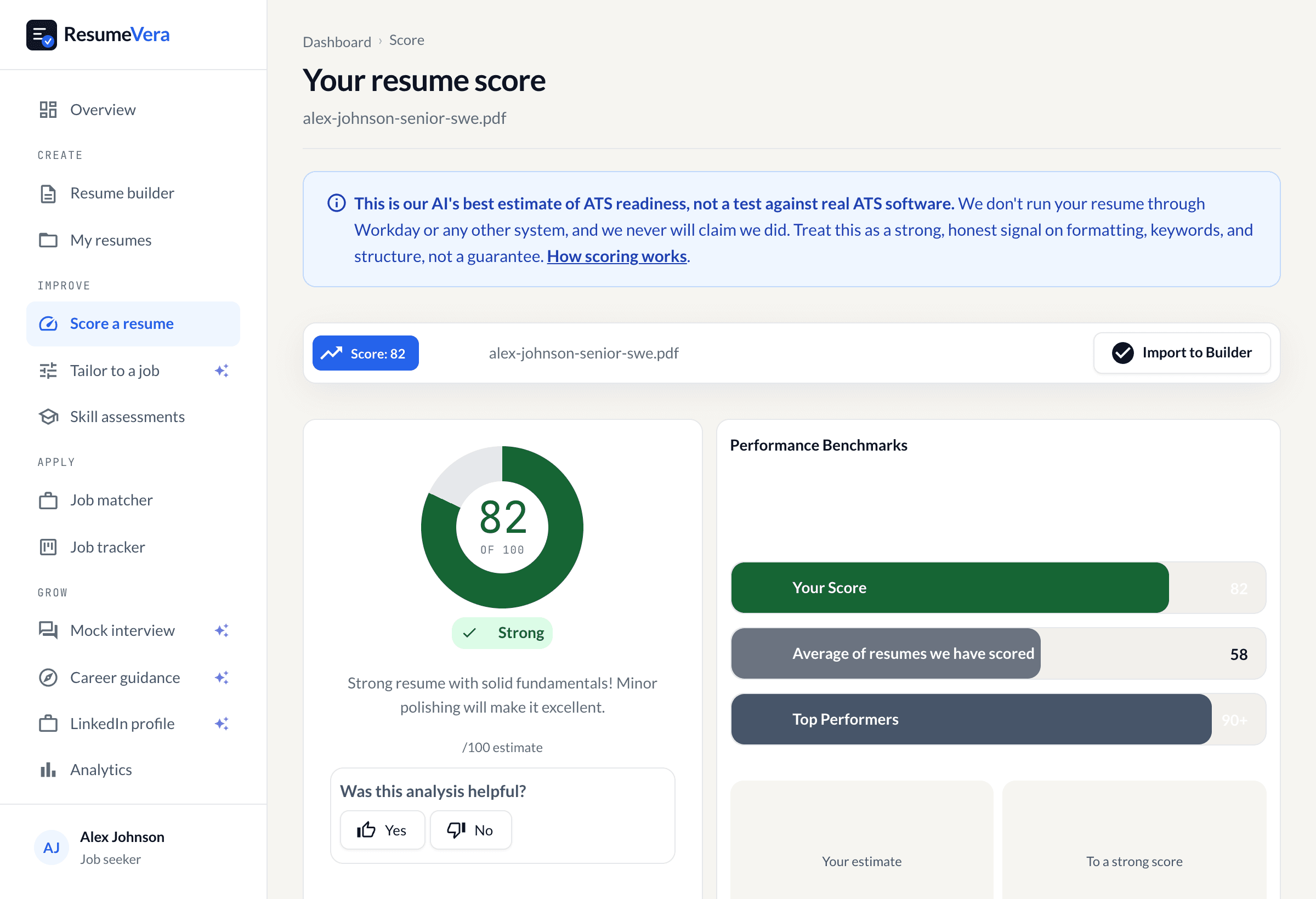
- ATS Scanning Tools: Use ResumeVera's free ATS checker to identify specific issues.
- Conversion Test: Convert to PDF and back to ensure no data is lost.
- Keyword Analysis: Compare your resume to the job description to ensure keyword coverage.
Conclusion
Avoiding these ten common ATS mistakes dramatically improves your chances of passing automated screening and landing interviews. Remember that ATS optimization isn't about gaming the system—it's about ensuring your genuine qualifications are properly recognized and evaluated.
The key is balance: Your resume must satisfy ATS requirements while remaining compelling for human readers. By implementing these solutions and thoroughly testing your resume before each submission, you will have removed the formatting problems that actually stop a parser reading your resume correctly.
Start by auditing your current resume against this checklist, make necessary corrections, and then test it using ATS scanning tools. With an optimized resume, you'll ensure your qualifications get the attention they deserve.