ATS Research Guide 2026
What an ATS actually does with your resume, and what it does not
Most rejected resumes are not being judged and found lacking. They are being misread. Applicant tracking systems sort resumes into structured fields before a person sees them, and real research shows formatting choices, not talent, cause much of the damage. Here is what the data actually says, and how to fix it.
The ResumeVera team
We build the resume parser behind our own score. Everything here is read off published research, each figure linked to where it came from, and we say when a number is weak.
Updated 2026-07-04T18:30:00.000Z
9 min

Section 01
How ATS Actually Reads Your Resume
Before a recruiter ever opens your resume, software usually reads it first. An applicant tracking system, or ATS, pulls the text out of your file and sorts it into fields like contact details, work history, education, and skills. This step is called parsing, and it happens whether your resume looks perfect on screen or not.
Parsing is where most of the damage happens. If the software cannot correctly identify where one section ends and another begins, it can misfile your experience, drop your contact details, or jumble your work history out of order, all before anyone has read a single word of what you actually did.
Once your resume is parsed, most systems rank it against the job requirements a recruiter has set up. This ranking is relative. There is no universal passing score, your resume is simply compared to everyone else who applied for that role.
Section 02
Multi-Column and Table Layouts Scramble the Reading Order
Most parsers read a document the way we read a book, left to right, top to bottom, in one continuous stream. A two-column layout or a table breaks that assumption. The software often reads straight across the page instead of down one column at a time, which mixes unrelated lines together into something unreadable.
The fix: use a single-column layout for your entire resume. If you want a clean visual layout, use simple line breaks and bullet points instead of a table.
Section 04
Non-Standard Section Headings Confuse the Parser
The software looks for familiar words to classify your content, things like Experience, Education, and Skills. A creative heading like My Journey or Where I Have Been might read beautifully to a person, but it gives the parser nothing to match, so that section can be skipped or filed incorrectly.
The fix: stick to plain, expected headings. Save the personality for your summary and your interview.
Section 05
Images, Icons, and Skill Bars Do Not Exist to the Parser
A logo, a headshot, or a set of star ratings for your skills might look sharp in a PDF, but none of it is text. Parsers cannot read pictures, so any information locked inside an image is simply gone as far as the system is concerned.
The fix: describe your skill level in words, for example Advanced or 5+ years, instead of graphics, and keep photos and icons out of the document entirely for roles based in the US and most other markets.
Section 06
File Format Still Matters, Just Not the Way Most People Think
The PDF versus Word debate has cooled off. Most modern systems handle both reasonably well, as long as the file has real, selectable text. What still causes real damage is a scanned or image-based PDF, made by photographing or scanning a printed resume. There is no text layer at all for the software to extract, so the whole document can come through blank.
The fix: if a job posting does not specify a format, a text-based .docx is the safest universal choice. If you use PDF, export it directly from Word or Google Docs, never from a scanned image.
Section 07
Which Formatting Choices Cause the Most Trouble, and Where
Different ATS platforms have different known weak points. This is not a reason to guess which system a company uses, it is a reason to avoid the riskiest formatting choices across the board.
| Formatting choice | Where it tends to cause the most trouble | Why it happens |
|---|---|---|
| Multi-column layout | Older, rule-based parsers | Text is read left to right across columns instead of down each one |
| Tables and text boxes | Most major platforms to some degree | Content inside cells is often read out of order or skipped |
| Header or footer contact info | Systems that only scan the document body | Headers and footers sit outside the area the parser reads |
| Graphics, icons, and logos | All platforms | Image content cannot be converted into text |
| Scanned or image-based PDFs | All platforms | There is no underlying text layer to extract at all |
| Non-standard section headings | All platforms | The parser looks for known keywords like Experience or Education |
Parsing behavior changes as vendors update their software, so treat this as a general risk map, not a guarantee for any single application.
Section 08
What Actually Does Not Matter (Common ATS Myths, Debunked)
Myth: you need a perfect ATS match score to get noticed. There is no universal passing score. Most systems rank you relative to other applicants for that specific role, so a well-tailored resume with a solid, honest keyword match will consistently beat an artificially inflated one.
Myth: 75% of resumes are automatically rejected by ATS before a human ever sees them. This is one of the most repeated numbers in job search advice, and it does not hold up. Investigations have traced it back to a 2012 marketing claim from a small resume company that closed down the following year, with no published methodology behind it. More recent surveys of ATS software suggest the large majority of applications are still reviewed by a person, and most platforms do not auto-reject candidates purely for formatting or missing keywords.
Myth: stuffing keywords in white text tricks the system. This trick stopped working years ago. Modern parsers can detect hidden text, and getting caught can flag your application rather than help it.
Myth: a paid ATS-friendly template guarantees you will pass. Parsability depends mostly on the underlying file structure, not the price tag. A plain, well-organized document you build yourself with a single column and standard headings performs just as well as most premium templates.
The origin of the most repeated of these claims is traced in full in where the 75% number came from. If you want to know what an employer has to tell you when software screens your application, that is in AI in hiring: what you are entitled to know.
Section 09
Sources and How We Built This Guide
We did not run our own parsing test, and this guide does not pretend to. It reads published research and links every figure to where it came from, which is listed in full at the end of this page.
Two of those figures are weaker than they look, and it would be dishonest to quote them without saying so. The 7.4 second scan comes from eye tracking 30 recruiters, which is a small sample and a vendor study. The 88% is employers describing what they believe their own software does, not a measured rejection rate. We have kept both because they are the best available, and labelled both because they are not conclusive.
One figure we removed. An earlier version of this page claimed that 25% of ATS platforms miss contact details placed in a header or footer. We went looking for the study behind it and could not find one, so it is gone. The underlying advice stands on its own: parsers read the document body, and a header is not reliably part of it.
Our own resume score is an AI estimate of how well a resume is likely to parse and match. It is not a test against any employer's ATS. Nobody outside Workday, Greenhouse or Taleo can run one, and anyone who says they do is describing something they cannot do.
The filter that genuinely ends an application on its own is not parsing at all: see knockout questions.
| 01 | TheLadders, Eye-Tracking Study Recruiter resume review time research. Reference: https://www.theladders.com/career-advice/you-only-get-6-seconds-of-fame-make-it-count |
| 02 | Jobscan, resume formatting and ATS parsing research Used for header and footer parsing failure rates and platform formatting guidance. Reference: https://www.jobscan.co/blog/ats-formatting-mistakes/ |
| 03 | Harvard Business School and Accenture, Hidden Workers: Untapped Talent (2021) Executive survey on qualified candidates filtered out by hiring systems. Reference: https://www.hbs.edu/managing-the-future-of-work/Documents/research/Hidden%20Workers%20Executive%20Summary.pdf |
| 04 | The Interview Guys, investigation into the 75% ATS rejection statistic Traced the origin of the widely repeated 75% claim. Reference: https://blog.theinterviewguys.com/ats-resume-rejection-myth/ |
Pro tips
Do these
Keep your resume to a single column with standard headings like Experience, Education, and Skills.
Put your name, phone number, and email in the main body of the page, never only in a header or footer.
Export PDFs directly from Word or Google Docs. Never submit a scanned or photographed resume.
Mirror the exact wording from the job posting for your hard skills and certifications, including both the acronym and the full term.
Run your resume through a real ATS checker before you apply, not just a plain text read-through.
Avoid these
Delete these
Using a two-column or table layout because it looks organized.
Hiding your contact details inside a designed header.
Using creative section titles instead of standard ones.
Submitting a scanned image of your resume as a PDF.
Assuming a higher price template automatically means better parsing.
Keywords
Keywords by category
Use these in your resume and profile to improve search visibility.
Core Phrases
Common Question Phrases
Put this into a resume
Building and editing are free, and free PDFs carry a small watermark.
Check My Resume FreeQuestions
Frequently asked questions
How this guide is maintained
We review this guide every quarter and after any change to the hiring rules or portal behaviour it describes. It was last reviewed on 2026-07-04T18:30:00.000Z. Figures come from named sources, shown beside the number. Where we are estimating rather than measuring, we say so.
By the numbers
7.4 sec
average first pass over a resume, measured by eye tracking 30 recruiters
Ladders eye-tracking study, 2018
88%
of employers say their own system filters out qualified candidates. Their words about themselves, not a measured rate
Harvard Business School and Accenture, Hidden Workers, 2021
23 of 25
recruiters said their systems do not auto-reject on formatting, content or design
Enhancv recruiter interviews, 2025
0
published studies behind the claim that most resumes are auto-rejected
The Interview Guys, investigation into the origin of the claim
Try it
Check the guide against your own file
Everything above is general. Your resume is not. Paste it in and the checker tells you which of these points your file actually breaks.
Check your resume free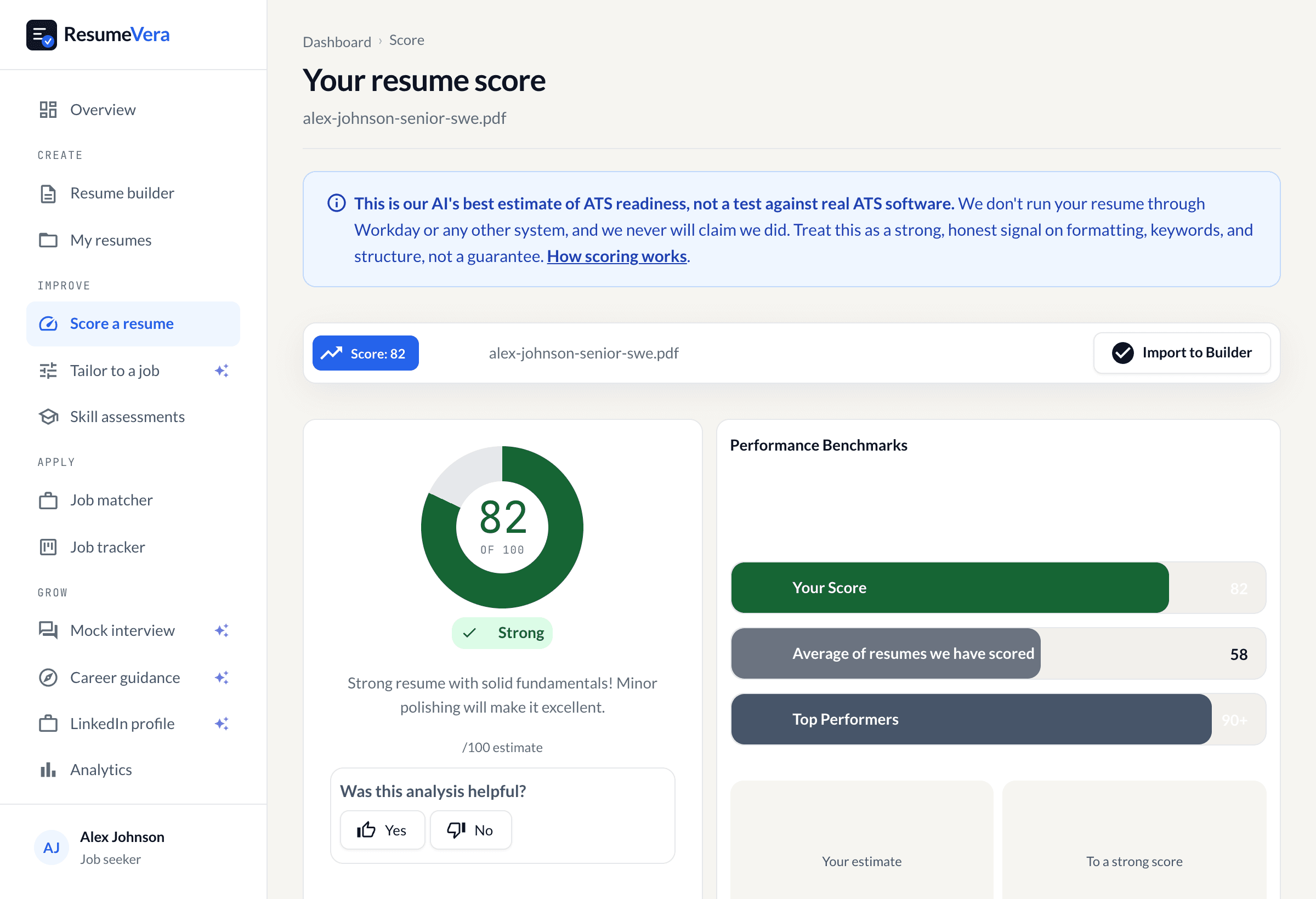
The real score page, with a sample resume and sample scores.
Sources & further reading
The formatting guidance and figures on this page draw on the following authoritative sources.
- Ladders, Eye-Tracking Study (2018), Where the 7.4 second figure comes from. 30 recruiters tracked over 10 weeks, up from 6 seconds in the 2012 version. A vendor study, not peer reviewed, and 30 people is a small sample.
- Harvard Business School and Accenture, Hidden Workers: Untapped Talent (September 2021), The 88% figure. Read it carefully: it is employers reporting what they believe their own software does, which is not the same as a measured rejection rate.
- The Interview Guys, the ATS resume rejection myth, Traces the claim that most resumes are auto-rejected to a 2012 marketing pitch by Preptel, a company that closed the following year without publishing a methodology, a sample size or a survey.
- Enhancv, recruiter interviews on ATS rejection (2025), 25 US recruiters asked whether their systems auto-reject. 23 said no. Twenty-five people is a small sample and we are not presenting it as more than that.
Is your resume ATS ready?
Run a free ATS score check and get specific improvements in seconds.