LinkedIn guide India 2026
LinkedIn profile optimization for India
A section-by-section guide to showing up in recruiter searches on LinkedIn, with headline, About, skills and Open to Work advice for Indian job seekers.
Written from LinkedIn's documented search and profile behaviour, which changes, so the date on this page matters.
Updated Oct 7, 2026
12 min

Section 01
Profile optimization: section by section
Follow this order to maximize recruiter search visibility: headline → About → experience → skills → recommendations.
| 01 | Profile Photo & Banner Use a clean headshot with a plain or blurred background. Add a custom banner (1584×396 px) relevant to your field. Many people leave it on the default, which is a missed opportunity. |
| 02 | Headline (220 characters, the most important field) Recruiters see your headline in search results before anything else. Formula: [Role] | [2–3 key skills] | [Value or niche]. Example: "Software Engineer | Java, Spring Boot, AWS | 3× Certified. Available for Product Roles". Avoid generic titles like "Fresher" or "Actively Seeking Job". |
| 03 | About Section (first 3 lines are shown without "See more") LinkedIn shows only the first few lines before "See more". Front-load your most important sentence. Include target role, top skills, and years of experience within the first 2 sentences. Use keywords your target recruiters search. They show up in profile search. |
| 04 | Experience Section (use bullet points, not paragraphs) Write achievement-led bullet points using the formula: Action verb + what you did + measurable result. "Reduced AWS costs by 34% by migrating Lambda functions to reserved capacity." Include company description for lesser-known companies. Recruiters screen company context too. |
| 05 | Education Section Include CGPA if above 7.0 / 70%. Add relevant courses, honours, exchange programs. For freshers, list final-year projects here. For experienced professionals, include certifications under education only if they are degree-equivalent (e.g., CFA, CA, CISA). |
| 06 | Skills Section (put your top skills first) Arrange your primary skills at the top by pinning them, so recruiters see them first. Seek endorsements from real colleagues who have seen your work. |
| 07 | Recommendations A written recommendation from a manager or senior colleague is the strongest credibility signal on LinkedIn. Request recommendations with a specific ask: "Could you mention the supply chain project we worked on together?". Gives the writer a concrete starting point. |
| 08 | Featured Section (portfolio proof) Add your best work samples, published articles, GitHub links, design portfolios, or key certifications as Featured items. For engineers: pin a GitHub repo. For writers: pin a published article. For marketers: pin a case study or campaign result PDF. |
Section 02
Who this guide is for
This guide is written for Indian job seekers improving LinkedIn search visibility and recruiter conversion. The goal is simple: turn the profile into a recruiter-ready landing page with headline, About, skills, proof, and activity. It is structured for readers who want direct examples, recruiter-friendly wording, and India-specific decisions rather than generic career advice.
| 01 | How to use this guide Read the format first, adapt the examples to your own background, then use the checklist and FAQs before submitting your linkedin profile. |
Section 03
LinkedIn profile step-by-step playbook
Use this order to move from blank page to publish-ready application material. Each step is designed to improve recruiter readability and application-system clarity.
For each step, use specific evidence for your target reader: role, company, exam, portal, city, tools, documents and measurable outcomes where possible.
| 01 | 1. Photo and banner |
| 02 | 2. Headline Write 2-3 lines that name the target role, your strongest skills, and one proof point. Make it specific to this application, not a generic objective. |
| 03 | 3. About |
| 04 | 4. Experience Convert responsibilities into evidence: task handled, tools or process used, team/client context, and result. Even short internships can show credible exposure. |
| 05 | 5. Featured work |
| 06 | 6. Skills Group skills by type and match the exact terms used in target roles or official process descriptions. Remove weak skills you cannot defend in an interview. |
| 07 | 7. Recommendations |
| 08 | 8. Custom URL |
Section 04
India and global application guidance
Hiring expectations change by market. Indian applications often include portal keywords, campus or exam processes, CTC language, document checks, and local role-title variations. Global applications usually expect tighter privacy, fewer personal details, and stronger proof of role fit.
| 01 | For India hiring, include location, notice period only if helpful, target role, and core skills. |
| 02 | For global roles, keep the headline skill-led and avoid salary/notice-period language. |
| 03 | A custom public URL is useful for resumes, portfolios, and job applications. |
Section 05
LinkedIn profile examples you can adapt
Use these examples as patterns, not as copy-paste text. The best application content sounds specific to your work and includes evidence that an interviewer can verify.
| 01 | Data Analyst | SQL, Power BI, Excel | Building dashboards for sales and operations teams |
| 02 | HR Generalist | Talent Acquisition, HRIS, Employee Engagement | Bengaluru |
Section 06
Shortlist visibility checklist
Use this checklist before publishing, uploading, or sending your application. It helps recruiters and the people reviewing your application see your fit quickly without forcing unnatural keyword repetition.
| 01 | Lead with the target role or process The first screen should make it obvious why this linkedin profile is relevant and what outcome it supports. |
| 02 | Use exact but truthful keywords Mirror role, portal, exam, or company terms only when they genuinely match your background. |
| 03 | Add evidence after every major claim Use numbers, tools, documents, projects, clients, coursework, or outcomes so the content feels verifiable. |
| 04 | Keep formatting predictable Use standard headings and simple layouts so recruiters and upload systems do not have to guess where information lives. |
| 05 | Check the final version against the application instructions If the employer, portal, or exam body asks for a specific format, follow that over generic resume advice. |
Section 07
Official references and source notes
This guide is original ResumeVera guidance. The references below were used to keep the advice aligned with official documentation and platform rules.
| 01 | LinkedIn Help - Create a good LinkedIn profile Official LinkedIn guidance for profile completeness, headline, About section, skills, and visibility. Reference: https://www.linkedin.com/help/linkedin/answer/a554351 |
Pro tips
Do these
Turn on "Open to Work" privately (visible to recruiters only, not your current employer)
Customise your LinkedIn URL: linkedin.com/in/firstname-lastname, no random numbers
Complete all profile sections for maximum LinkedIn profile score ("All-Star" rank)
Message recruiters proactively; a short 3-line InMail is easier to read than a long one
Post or engage on LinkedIn 2–3× per week to boost profile visibility in feeds
Add your current/expected location to appear in local recruiter searches
If you publish content, you do not need Creator Mode: LinkedIn retired the setting in 2024 and folded its tools into standard profiles
Request connections with a personalised note; it gives people a reason to accept
Customize the first 3 lines for the exact role, company, exam, or portal instead of using the same version everywhere.
Add one proof point for every major claim: number, scope, document, tool, project, client type, or result.
Read the page aloud once; if a sentence sounds like generic advice, replace it with a concrete example.
Avoid these
Delete these
Using "Fresher", "Actively Seeking Opportunities", or "Open to Work" IN your headline text
Headline that is just your job title, wastes all 220 characters
A blank or lorem ipsum About section
Job experience written in dense paragraphs instead of bullet points
Profile photo with sunglasses, group photos, or a blurry image
Skills section stuffed with every possible keyword instead of the skills you can defend
No custom banner: LinkedIn's default grey is instantly forgettable
Sending "Hi, I saw your profile" with no context, recruiters ignore these
Using repeated keywords instead of useful examples, scripts, and proof.
Submitting without checking the latest employer, portal, or exam instructions.
Copying examples word-for-word instead of replacing them with your own truthful details.
Keywords
Keywords by category
Use these in your resume and profile to improve search visibility.
Software / Engineering
Finance / CA / Accounting
Marketing / Growth
Operations / Supply Chain
HR & Talent Acquisition
Core Phrases
Common Question Phrases
India-Specific Terms
Put this into a resume
Building and editing are free, and free PDFs carry a small watermark.
Check my resume freeQuestions
Frequently asked questions
How this guide is maintained
We review this guide every quarter and after any change to the hiring rules or portal behaviour it describes. It was last reviewed on October 7, 2026. Figures come from named sources, shown beside the number. Where we are estimating rather than measuring, we say so.
Career resources
More career guides
Browse all our India-focused resume and career guides.
View all career guides →Try it
Check the guide against your own file
Everything above is general. Your resume is not. Paste it in and the checker tells you which of these points your file actually breaks.
Check your resume free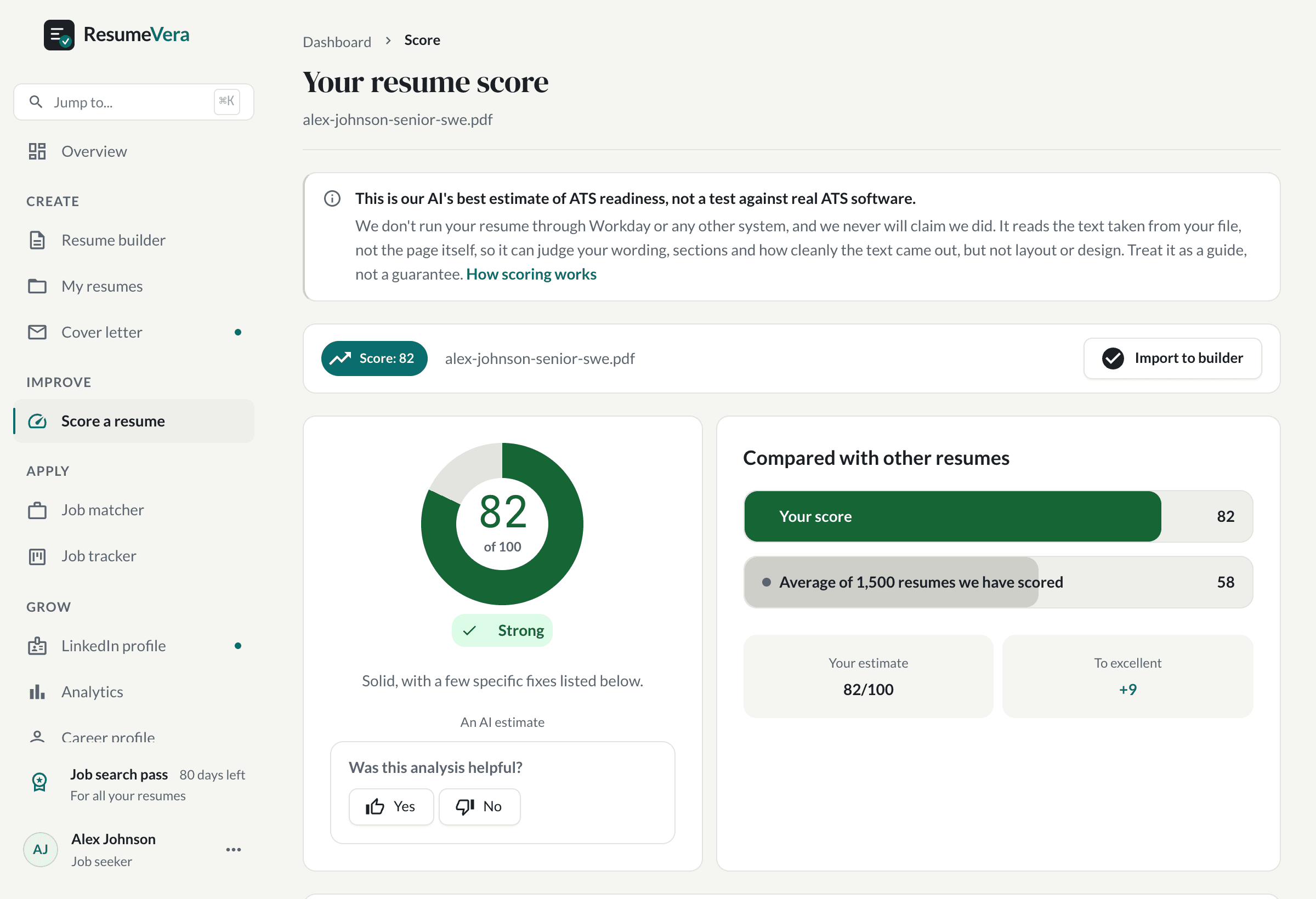
The real score page, with a sample resume and sample scores.
Is your resume ATS ready?
Run a free ATS score check and get specific improvements in seconds.