Last Updated: May 7, 2026 · 10 min read · By ResumeVera Team
Worth knowing first: the widely repeated claim that 75% of resumes are filtered out before a human sees them has no published study behind it. We looked into where it came from in our guide on ATS rejection. What is true, and what this guide is about, is that formatting can stop a parser reading your resume correctly.
In this guide you will learn:
- The 9 ATS formatting mistakes that get a resume misread or filtered out
- Why tables, text boxes, and columns are resume killers
- The exact file formats ATS systems can and cannot read
- How to check if your resume has these issues in 30 seconds, free
- A formatting checklist you can use before every job application
9 ATS formatting mistakes that break parsing (2026)
Every year, billions of resumes are submitted to job applications. The vast majority never get read by a human. They're misread or filtered out by Applicant Tracking Systems (ATS) before any recruiter opens the file.
The frustrating part: most rejections aren't about your experience or qualifications. They're about formatting. Specifically, the kind of formatting errors that make ATS software fail to parse your resume correctly, so it gets misread or filtered out.
Here are the 9 most common ATS formatting mistakes in 2026, with exact fixes for each.
Quick check: Before fixing these manually, run your resume through our free ATS checker to see exactly which issues are flagged on your specific resume.
Mistake 1: Using Tables or Multi-Column Layouts
Multi-column résumés look professional to human eyes. To ATS software, they're a disaster.
When ATS software parses a two-column layout, it typically reads left-to-right across the entire row, mixing content from column 1 and column 2 in a single line. Your job title from the left column gets merged with a skill from the right column, creating gibberish. The parser fails to categorize the content correctly and your experience gets lost.
The fix: Use a single-column layout for all ATS-submitted resumes. If you want a visually impressive version for in-person interviews or portfolio use, keep a separate formatted version, but always submit the single-column ATS version to online applications.
Mistake 2: Headers and Footers With Contact Information
Putting your name, phone number, and email in the document header looks clean. Many resume templates do this by default. ATS software frequently cannot read content inside document headers and footers.
The result: your application is submitted with no contact information parsed. A recruiter might want to call you but have no way to find your number.
The fix: Place all contact information (name, phone, email, LinkedIn URL, city/state) in the main body of the document. The very first line of the document body, not the header.
Mistake 3: Using Text Boxes or Shapes
Text boxes are invisible to most ATS parsers. Content inside a text box is treated as an image, not text. Skills lists, achievements, or summary statements placed in a text box simply disappear when an ATS processes your resume.
The fix: Delete all text boxes. Replace them with standard paragraph text or bullet points. If your resume template uses text boxes for the skills or summary section (common in many Word templates), rebuild those sections as regular text.
Mistake 4: Non-Standard Section Headers
ATS software expects standard section labels. It knows what "Work Experience" means. It knows what "Skills" and "Education" mean.
What confuses it: "Where I've Made an Impact," "My Story," "Core Competencies Snapshot," "Professional Journey," and similar creative alternatives. The ATS may fail to categorize the section, meaning the content inside gets ignored or mis-filed.
The fix: Use these exact section headers:
- Summary or Professional Summary (not "About Me" or "Profile")
- Work Experience or Professional Experience (not "Career History" or "My Journey")
- Education (not "Academic Background")
- Skills or Technical Skills (not "Expertise" or "What I Know")
- Certifications (not "Credentials" or "Qualifications")
Mistake 5: Using the Wrong File Format
PDF vs DOCX is a perennial debate. The 2026 reality:
- Modern ATS (Workday, Greenhouse, Lever): Handle PDFs well most of the time
- Older ATS (Taleo, iCIMS legacy): Parse DOCX significantly more reliably
- The unknown: You usually don't know which ATS a company uses
The safest option in 2026 is to submit DOCX unless the job posting specifically requests PDF. If it says "PDF only," submit PDF. If it says nothing, default to DOCX.
Never submit: .pages (Apple Pages), .odt (OpenOffice), image files (.jpg, .png), or scanned PDFs. These formats fail ATS parsing entirely.
The fix: Keep your resume as a DOCX. Save a PDF version from Word or Google Docs when needed (never scan a physical document).
Mistake 6: Inconsistent Date Formatting
ATS systems parse employment history by extracting dates and calculating duration. Inconsistent formats cause parsing errors that can make your experience appear shorter than it is, or cause the entire section to fail.
Examples of inconsistent formatting that confuses ATS:
- Mixing "Jan 2022 – Present" with "2020-2021" in the same resume
- Using "1/2022" in one entry and "January 2022" in another
- Writing "Current" instead of "Present"
- Leaving end dates blank for current roles (use "Present")
The fix: Use consistent "Month Year – Month Year" or "Month Year – Present" throughout. Pick one format and use it for every single date on the resume. Spell out months fully (January, not Jan) for maximum parser compatibility.
Mistake 7: Images, Icons, and Graphics
Skill bar graphics that show "Python ████░░ 80%" look creative. The ATS sees: nothing. Photos, logos, icons for social media links, star ratings for skill levels are all invisible to ATS parsers.
Beyond parsing failure: logos and images add file size, sometimes causing upload failures in ATS portals that have file size limits.
The fix: Remove all images, icons, and graphics from your ATS resume. Replace skill bars with a plain text list: "Python, Java, React, SQL, Docker." Remove your photo entirely. A photo on a resume is standard in some countries (Germany, India) but causes ATS parsing issues in most systems.
Mistake 8: Fancy Fonts and Special Characters
Fonts like Roboto, Lato, Montserrat are fine. Fonts like script typefaces, highly stylized display fonts, or anything that doesn't come installed with Windows/Mac can cause rendering issues where ATS software sees garbled text.
Special characters are a bigger issue: Bullet points using custom Unicode symbols (►, ✦, ❖), decorative dashes (em dashes vs -), smart quotes (" " vs " "), and similar characters can appear as question marks or be skipped entirely by older ATS parsers.
The fix: Stick to these proven ATS-safe fonts: Calibri, Arial, Georgia, Times New Roman, Garamond, or Helvetica. Use standard bullet points (• or -). Use a regular dash (-) rather than an em dash in dates and separators.
Mistake 9: Missing or Mis-Formatted Keywords
This is the most costly mistake of all. ATS software ranks resumes partly by keyword match against the job description. If you have a skill but spell it differently from how the job description spells it, you may get zero credit for it.
Examples that hurt you:
- Job description says "Project Management", but your resume says "Managed projects"
- Job description says "JavaScript", but your resume says "JS"
- Job description says "Agile methodology", but your resume says "worked in agile teams"
- You write "Machine learning" but the JD says "ML" (or vice versa)
The fix: Mirror the exact language of the job description wherever possible. Include both the acronym and full form for the first usage: "Machine Learning (ML)." Repeat the most important keywords 2-3 times across different sections (once in the summary, once in the work experience, once in the skills section) without it feeling forced.
The ATS Formatting Checklist
Before submitting any resume, run through this list:
- ☐ Single-column layout (no tables, no side-by-side sections)
- ☐ Contact info in the document body, not the header/footer
- ☐ No text boxes or shapes
- ☐ Standard section headers (Work Experience, Skills, Education)
- ☐ Submitted as DOCX (unless PDF is specifically required)
- ☐ All dates in consistent "Month Year – Month Year" format
- ☐ No images, photos, icons, or graphics
- ☐ ATS-safe font (Calibri, Arial, Georgia, etc.)
- ☐ Job description keywords included verbatim in resume text
Test Your Resume Before You Apply
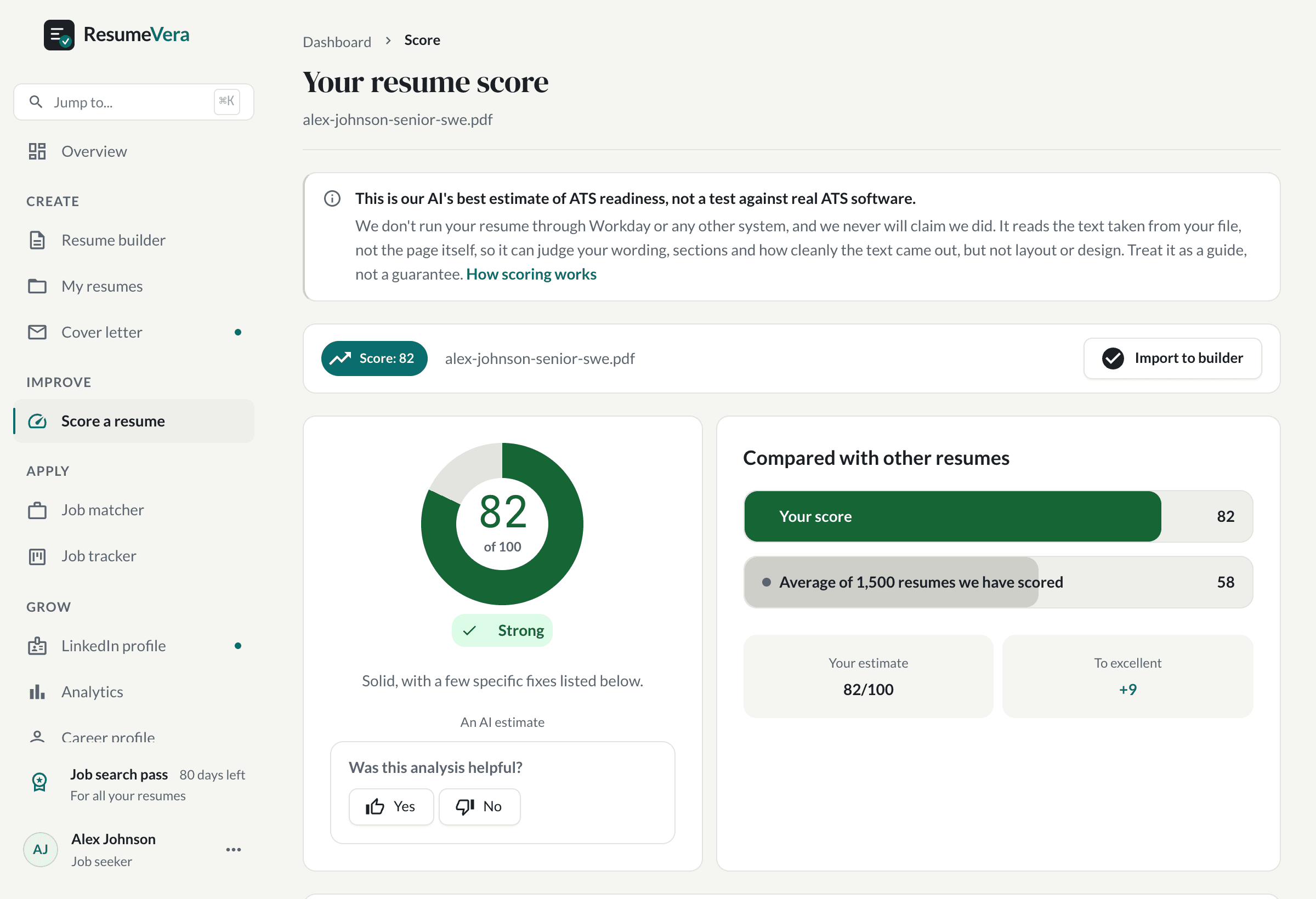
The fastest way to catch these issues is to run your resume through an ATS checker before submitting. Our free ATS resume checker gives an AI estimate of how parseable and keyword-matched your resume is, and flags which of these formatting problems it finds in your specific file.
It takes 30 seconds. No sign-up required. You'll see your estimated ATS score, a list of formatting issues, and the keywords you're missing for the role you're targeting.
Check your resume's ATS score for free →
Frequently Asked Questions
Will my resume get rejected if it has tables?
It depends on the ATS. Modern systems like Greenhouse and Lever handle simple tables reasonably well. Older systems like legacy Taleo installations will scramble table content. Since you don't know which system a company uses, the safe default is always to avoid tables.
Is a PDF or Word document better for ATS?
In 2026, DOCX (Word format) is still the safest choice when you're unsure. Modern ATS handles PDF well, but some older enterprise systems still parse Word documents more reliably. If the job posting specifies a format, always follow their instructions.
Can I have a two-column resume for companies that don't use ATS?
Yes, keep two versions. A single-column ATS-safe version for online applications and a designed version for emailing directly to a contact or bringing to an interview. Just never upload the designed version to an online application portal.
How do I know if my resume passes ATS?
The simplest test: copy your resume text and paste it into Notepad. If the information reads clearly and in the right order, basic ATS parsing will work. For a full check including keyword analysis, use a dedicated ATS resume checker tool.
Does having the right keywords always get me past ATS?
Keywords are necessary but not sufficient. Formatting errors can prevent ATS from reading your keywords even if they're there. Fix formatting first, then optimise keywords.