Campus placement guide 2026
Campus placement resume format 2026
Here is a clean single-column format for TCS NQT, Infosys InfyTQ, Wipro WILP, and top MNC campus drives, with company-wise requirements and how to handle CGPA cutoffs.
The ResumeVera team
Written for candidates with no work history yet, from the formats campus recruiters actually ask for.
Updated Oct 7, 2026
12 min

Section 01
Fresher resume: section order for campus placement
This is the exact section order that works for TCS NQT, Infosys, and most Indian MNCs. Do not deviate from it for campus applications.
| 01 | Contact Information Name, phone, email, LinkedIn, GitHub (if relevant), city. No photo. No date of birth. |
| 02 | Professional Summary (2–3 lines) Your degree, target role, and 2 skills you want to lead with. Specific: "Final-year B.Tech CSE | Targeting SDE roles | Skilled in React, Node.js, PostgreSQL", not "seeking a challenging position". |
| 03 | Education (most recent first) Degree, institution, year, CGPA. Include 10th and 12th marks if 70%+. Many recruiters use this as a filter. |
| 04 | Projects (3–5 key projects) The most important section for freshers with no work experience. Each project: title, tech stack, 2–3 bullet points of what you built and what it does. Link to GitHub. |
| 05 | Skills (technical + tools) Hard skills only. Programming languages, frameworks, tools. Group by category if you have 8+. Mirror the exact keywords from JDs you are targeting. |
| 06 | Internships / Experience Even a 2-week internship counts. List company, role, dates, and 2 bullets on what you did with real output. |
| 07 | Certifications NPTEL, Coursera, AWS, Google Cloud, NASSCOM, all respected by Indian recruiters. List course name + platform + year. |
| 08 | Achievements & Extracurriculars Hackathon wins, coding contest rankings, leadership roles in college clubs. Relevant for IT and consulting roles. |
Section 02
Company-wise requirements: CGPA and format
Each company has specific requirements, and CGPA cutoffs change between drives. Check the current drive notice before submitting.
| 01 | TCS NQT Check the CGPA cutoff in the current NQT notice. 1-page PDF. List Java/Python/C++ clearly if you know them. |
| 02 | Infosys InfyTQ Check the CGPA cutoff in the current drive notice. Objective statement valued; list DSA and SQL explicitly. |
| 03 | Wipro WILP Check the CGPA cutoff in the current drive notice. Projects section critical; list cloud/DevOps skills if you have them. |
| 04 | Cognizant GenC Check the CGPA cutoff in the current drive notice. Communication skills mentioned; Agile/SDLC keywords help. |
| 05 | Accenture Check the CGPA cutoff in the current drive notice. Problem-solving examples; mention team projects prominently. |
| 06 | HCL TechBee Check the CGPA cutoff in the current drive notice. Strong on certifications; AWS/Azure is a differentiator. |
Section 03
Who this guide is for
This guide is written for students preparing for campus drives, aptitude shortlists, and mass-recruiter resume screening. The goal is simple: build a campus resume that passes quick screening and supports HR/technical rounds. It is structured for readers who want direct examples, recruiter-friendly wording, and India-specific decisions rather than generic career advice.
| 01 | How to use this guide Read the format first, adapt the examples to your own background, then use the checklist and FAQs before submitting your campus placement resume. |
Section 04
Campus placement resume step-by-step playbook
Use this order to move from blank page to publish-ready application material. Each step is designed to improve recruiter readability and application-system clarity.
For each step, use specific evidence for your target reader: role, company, exam, portal, city, tools, documents and measurable outcomes where possible.
| 01 | 1. Target role header Use your full name, phone, professional email, city, and relevant profile links. Keep it plain so recruiters and parsers can read it instantly. |
| 02 | 2. Skills matched to company Group skills by type and match the exact terms used in target roles or official process descriptions. Remove weak skills you cannot defend in an interview. |
| 03 | 3. Two strongest projects For each project, include the problem, tools used, your contribution, and a measurable result or clear output. Add links only when the work is clean and viewable. |
| 04 | 4. Internship/training Convert responsibilities into evidence: task handled, tools or process used, team/client context, and result. Even short internships can show credible exposure. |
| 05 | 5. Education List degree, institution, year, and marks/CGPA only when they strengthen the application or are required by the process. |
| 06 | 6. Certifications Include certifications that support the target role. Mention platform/body and year, but do not let certificates replace real project or work evidence. |
| 07 | 7. Leadership and achievements |
Section 05
India and global application guidance
Hiring expectations change by market. Indian applications often include portal keywords, campus or exam processes, CTC language, document checks, and local role-title variations. Global applications usually expect tighter privacy, fewer personal details, and stronger proof of role fit.
| 01 | For TCS/Infosys/Wipro style drives, keep ATS-safe formatting and predictable section headings. |
| 02 | For campus placement cells, keep PDF naming consistent and avoid decorative templates. |
| 03 | For off-campus applications, add GitHub/LinkedIn links and tailor keywords to each job post. |
Section 06
Campus placement resume examples you can adapt
Use these examples as patterns, not as copy-paste text. The best application content sounds specific to your work and includes evidence that an interviewer can verify.
| 01 | Built a Java inventory system with MySQL and authentication; documented setup and reduced query time with indexes. |
| 02 | Led college event sponsorship outreach, converting 18 of 60 contacted local businesses. |
Section 07
Shortlist visibility checklist
Use this checklist before publishing, uploading, or sending your application. It helps recruiters, job portals, and screening systems understand your fit quickly without forcing unnatural keyword repetition.
| 01 | Lead with the target role or process The first screen should make it obvious why this campus placement resume is relevant and what outcome it supports. |
| 02 | Use exact but truthful keywords Mirror role, portal, exam, or company terms only when they genuinely match your background. |
| 03 | Add evidence after every major claim Use numbers, tools, documents, projects, clients, coursework, or outcomes so the content feels verifiable. |
| 04 | Keep formatting predictable Use standard headings and simple layouts so recruiters and upload systems do not have to guess where information lives. |
| 05 | Check the final version against the application instructions If the employer, portal, or exam body asks for a specific format, follow that over generic resume advice. |
Section 08
Official references and source notes
This guide is original ResumeVera guidance. The reference below was used to keep the advice aligned with the official TCS NQT documentation.
| 01 | TCS iON National Qualifier Test Official TCS iON reference for NQT-style campus and fresher hiring context. Reference: https://learning.tcsionhub.in/hub/national-qualifier-test/ |
Pro tips
Do these
Keep it to exactly 1 page
List your CGPA if it meets the cutoff published for the drive
Name your file: FirstName_LastName_Resume.pdf
Use a single-column ATS-safe layout (no tables, no text boxes)
Quantify every project metric: "reduced load time by 40%", "served 5,000 users"
Mention programming languages, frameworks, and tools explicitly
Include your GitHub / LinkedIn URL in the header
Mirror the exact job description keywords in your skills section
Customize the first 3 lines for the exact role, company, exam, or portal instead of using the same version everywhere.
Add one proof point for every major claim: number, scope, document, tool, project, client type, or result.
Read the page aloud once; if a sentence sounds like generic advice, replace it with a concrete example.
Avoid these
Delete these
Adding a photo when the drive does not ask for one: it adds nothing and can invite bias
Including date of birth, religion, or marital status
Using fancy templates with columns, tables, or icons: a clean single-column file reads more reliably
Listing every course you took, only relevant technical ones
Writing "Seeking a challenging role": write your actual target role
Using acronyms without expansion (write "Machine Learning (ML)")
Padding with irrelevant extracurriculars to fill the page
Using repeated keywords instead of useful examples, scripts, and proof.
Submitting without checking the latest employer, portal, or exam instructions.
Copying examples word-for-word instead of replacing them with your own truthful details.
Keywords
Keywords by category
Use these in your resume and profile to improve search visibility.
Core Phrases
Common Question Phrases
India-Specific Terms
Put this into a resume
Building and editing are free, and free PDFs carry a small watermark.
Check my resume freeQuestions
Frequently asked questions
How this guide is maintained
We review this guide every quarter and after any change to the hiring rules or portal behaviour it describes. It was last reviewed on October 7, 2026. Figures come from named sources, shown beside the number. Where we are estimating rather than measuring, we say so.
Try it
Check the guide against your own file
Everything above is general. Your resume is not. Paste it in and the checker tells you which of these points your file actually breaks.
Check your resume free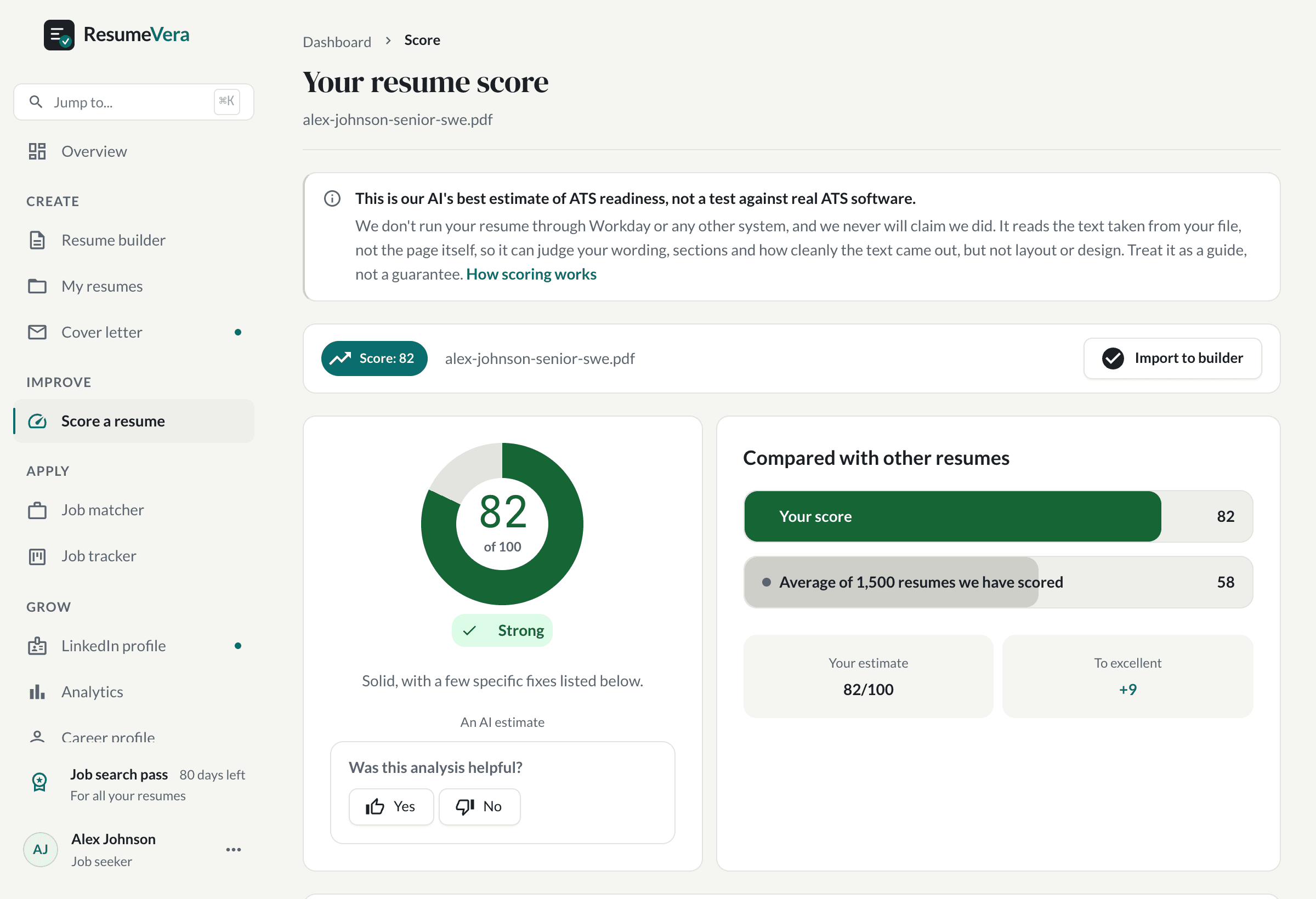
The real score page, with a sample resume and sample scores.
Is your resume ATS ready?
Run a free ATS score check and get specific improvements in seconds.