Naukri guide India 2026
Naukri profile optimization 2026
Here is the playbook for your Naukri profile: headline, skills, CTC fields, summary, and which premium features are worth paying for.
The ResumeVera team
Written from the platform's documented behaviour and its own help pages, with the limits of that stated where they matter.
Updated Oct 7, 2026
12 min

Section 01
Profile score checklist: how to hit 100%
Naukri's profile score is a checklist of fields. Complete every field below so recruiter searches and filters have more to match.
| 01 | Resume Upload (PDF) Upload a clean, ATS-compatible PDF resume. Naukri parses your resume and auto-fills several fields. Review each parsed field for accuracy after uploading. Use a single-column layout. File size: under 2 MB. File name: use your name, e.g., "Priya-Sharma-Resume-2026.pdf". |
| 02 | Resume Headline (the first thing recruiters read) The Resume Headline is the first line recruiters read in search results. Formula: [Years of experience] [Role] | [Top 2–3 skills] | [Industry or specialisation]. Example: "4+ Years Software Engineer | Java Spring Boot AWS | Fintech & E-commerce Platforms". |
| 03 | Key Skills Fill the key skills field fully. Do NOT use vague soft skills like "communication" or "leadership". Use specific technical and domain skills that appear in the JDs you are targeting, since recruiters search by these terms. List your strongest skills first. |
| 04 | Current & Expected CTC (both fields) Fill BOTH current CTC and expected CTC. Recruiters often filter searches by salary range, and a blank field can leave you out. Set a realistic expected CTC based on market research (AmbitionBox, Glassdoor India). You can edit this any time. |
| 05 | Notice Period Fill this field accurately. Recruiters frequently filter by notice period, and for urgent openings they often look for shorter notice periods. If you have served notice already, update this field proactively. |
| 06 | Work Experience (with detailed descriptions) Add all work experience with specific responsibilities and quantified achievements. Recruiter keyword searches can match terms in your experience descriptions. Each role description should have 4–6 bullet points with numbers wherever possible. |
| 07 | Education (with percentage or CGPA) Add all educational qualifications from Class 10 onwards. Include percentage or CGPA. For freshers: add final-year project title and description here. It adds relevant keywords to your profile. |
| 08 | Profile Summary (250–300 words) The profile summary is indexed by Naukri's search engine. Write a keyword-rich summary that mentions your role, industry, top skills, and career goals. Include the exact job title you are targeting at least once. |
Section 02
Headline formula: examples by role
Your Naukri headline is the first thing recruiters see in Resdex search results. Here are example formulas by role:
| 01 | Software Engineer 5+ Years Software Engineer | Java, Spring Boot, AWS | Microservices & Fintech Experience |
| 02 | Digital Marketer 4 Years Digital Marketer | SEO, Google Ads, Meta Ads | E-commerce & D2C Growth |
| 03 | CA / Accountant Chartered Accountant | SAP FICO, GST, Ind AS | Statutory Audit & Finance Controller |
| 04 | MBA Fresher MBA Marketing (IIM Indore 2025) | Brand Management, Research, Excel | FMCG & Retail |
| 05 | HR Professional 6 Years HR Business Partner | Talent Acquisition, HRBP, Darwinbox | IT & Manufacturing |
Section 04
Who this guide is for
This guide is written for Indian job seekers who want more recruiter views and better job portal search visibility. The goal is simple: align headline, key skills, profile summary, resume upload, and activity signals. It is structured for readers who want direct examples, recruiter-friendly wording, and India-specific decisions rather than generic career advice.
| 01 | How to use this guide Read the format first, adapt the examples to your own background, then use the checklist and FAQs before submitting your naukri profile. |
Section 05
Naukri profile step-by-step playbook
Use this order to move from blank page to publish-ready application material. Each step is designed to improve recruiter readability and application-system clarity.
For each step, use specific evidence for your target reader: role, company, exam, portal, city, tools, documents and measurable outcomes where possible.
| 01 | 1. Profile headline Write 2-3 lines that name the target role, your strongest skills, and one proof point. Make it specific to this application, not a generic objective. |
| 02 | 2. Current role |
| 03 | 3. Key skills Group skills by type and match the exact terms used in target roles or official process descriptions. Remove weak skills you cannot defend in an interview. |
| 04 | 4. Profile summary |
| 05 | 5. Resume upload |
| 06 | 6. Employment details |
| 07 | 7. Education List degree, institution, year, and marks/CGPA only when they strengthen the application or are required by the process. |
| 08 | 8. Preferred locations |
Section 06
India and global application guidance
Hiring expectations change by market. Indian applications often include portal keywords, campus or exam processes, CTC language, document checks, and local role-title variations. Global applications usually expect tighter privacy, fewer personal details, and stronger proof of role fit.
| 01 | Naukri-style search depends heavily on exact skills, role titles, location, experience, and recent activity. |
| 02 | Use Indian title variants such as Software Engineer, Java Developer, Accounts Executive, or HR Generalist when they match your role. |
| 03 | For relocation, list preferred cities deliberately rather than selecting every metro. |
Section 07
Naukri profile examples you can adapt
Use these examples as patterns, not as copy-paste text. The best application content sounds specific to your work and includes evidence that an interviewer can verify.
| 01 | Java Developer | Spring Boot | REST APIs | 3 yrs | Bengaluru |
| 02 | Accounts Executive | GST | Tally Prime | Reconciliation | 2 yrs | Pune |
Section 08
Shortlist visibility checklist
Use this checklist before publishing, uploading, or sending your application. It helps recruiters and the people reviewing your application see your fit quickly without forcing unnatural keyword repetition.
| 01 | Lead with the target role or process The first screen should make it obvious why this naukri profile is relevant and what outcome it supports. |
| 02 | Use exact but truthful keywords Mirror role, portal, exam, or company terms only when they genuinely match your background. |
| 03 | Add evidence after every major claim Use numbers, tools, documents, projects, clients, coursework, or outcomes so the content feels verifiable. |
| 04 | Keep formatting predictable Use standard headings and simple layouts so recruiters and upload systems do not have to guess where information lives. |
| 05 | Check the final version against the application instructions If the employer, portal, or exam body asks for a specific format, follow that over generic resume advice. |
Pro tips
Do these
Log in and update your profile every few days while job-hunting so the Last Updated date stays recent
Mark profile as "Actively Looking": recruiter-facing status that shows you are open to offers
Add your preferred work location and work type (WFH/hybrid/office): filters recruiters use
Add a professional profile photo
Use the "Desired Role" field with the exact job title you are targeting (use JD language)
Add industries you want to work in: Naukri uses this for job alerts and recruiter matching
Enable job alert emails for your target keywords: daily digest keeps you first to respond
Add certifications with the issuing organisation and year; they add credibility signals
Customize the first 3 lines for the exact role, company, exam, or portal instead of using the same version everywhere.
Add one proof point for every major claim: number, scope, document, tool, project, client type, or result.
Read the page aloud once; if a sentence sounds like generic advice, replace it with a concrete example.
Avoid these
Delete these
Headline that just says your job title: "Software Engineer" wastes the headline space
Not uploading a PDF resume (relying only on the Naukri-built profile)
CTC fields left blank: you disappear from salary-filtered searches
Outdated "Last Updated" date: recruiters see how recently you updated
Key Skills with generic terms like "MS Office", "Communication", "Team Player"
Zero work experience descriptions: recruiter keyword searches have nothing to match
Profile photo that is a selfie, group photo, or casual photo
Not updating notice period after it changes, stale data causes recruiter confusion
Using repeated keywords instead of useful examples, scripts, and proof.
Submitting without checking the latest employer, portal, or exam instructions.
Copying examples word-for-word instead of replacing them with your own truthful details.
Keywords
Keywords by category
Use these in your resume and profile to improve search visibility.
Core Phrases
Common Question Phrases
India-Specific Terms
Put this into a resume
Building and editing are free, and free PDFs carry a small watermark.
Check my resume freeQuestions
Frequently asked questions
How this guide is maintained
We review this guide every quarter and after any change to the hiring rules or portal behaviour it describes. It was last reviewed on October 7, 2026. Figures come from named sources, shown beside the number. Where we are estimating rather than measuring, we say so.
Career resources
More career guides
Browse all our India-focused resume and career guides.
View all career guides →Try it
Check the guide against your own file
Everything above is general. Your resume is not. Paste it in and the checker tells you which of these points your file actually breaks.
Check your resume free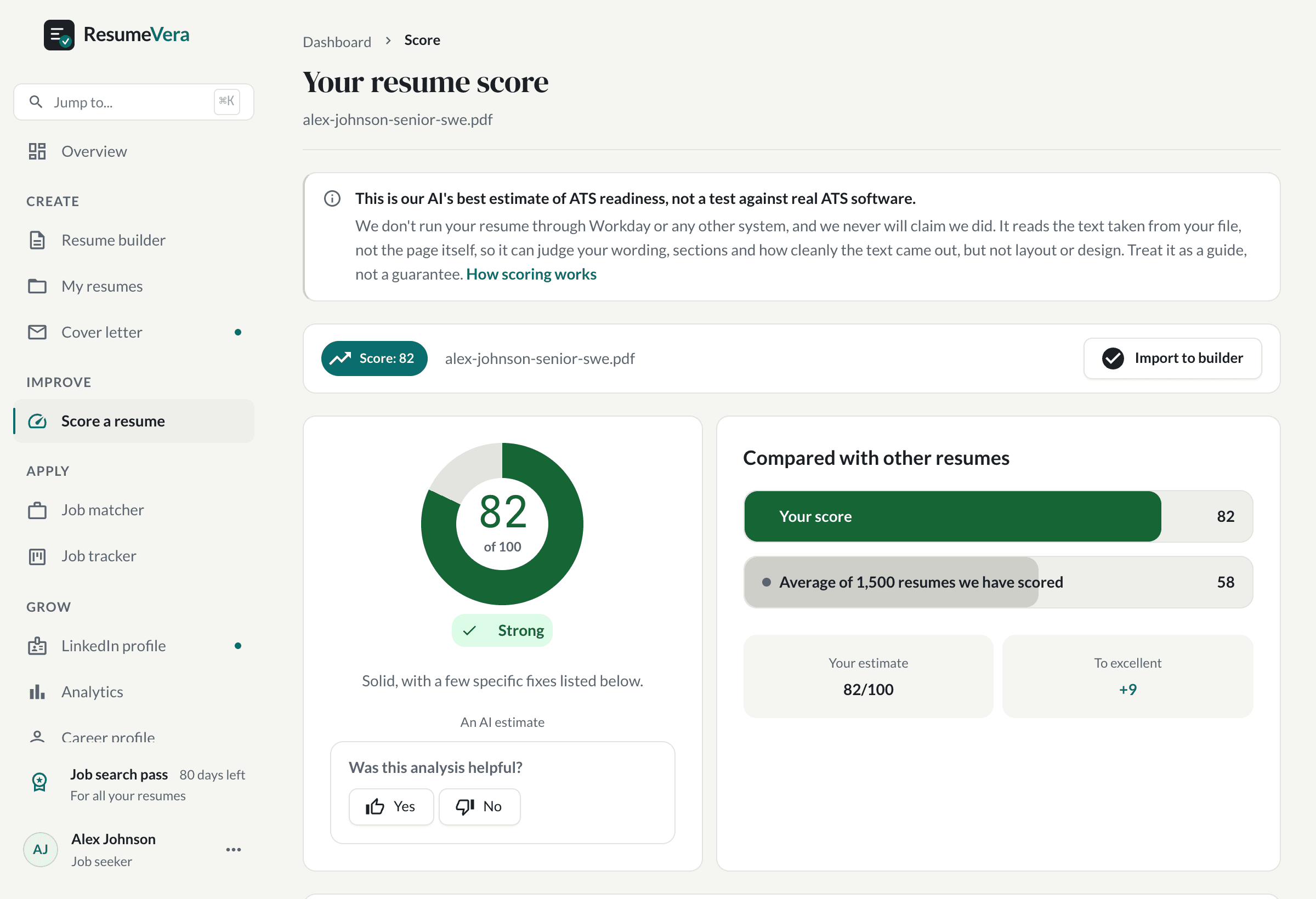
The real score page, with a sample resume and sample scores.
Is your resume ATS ready?
Run a free ATS score check and get specific improvements in seconds.