ATS resume checker online: a free check before you apply
ATS Optimization · ResumeVera Team · January 18, 2026 · 9 min read

What is an ATS resume checker?
An ATS resume checker reviews your resume for the things applicant tracking systems tend to struggle with: layouts that do not parse cleanly, missing standard sections, and keywords from the job that your resume never mentions. Many employers, including large Indian IT services firms, use an ATS to collect and search applications before a recruiter reads them.
ResumeVera's ATS score is an AI estimate, not a test run inside a real ATS. No outside tool can tell you exactly what a particular employer's system will do with your file. What a checker can do is flag the problems that commonly cause trouble, so you fix them before you apply. How the score works explains what it measures.
What happens to a resume after you apply online
- The ATS stores your file and tries to read it into fields: name, contact details, jobs, dates, education, skills.
- Recruiters search and filter those fields, often by keywords from the job description.
- If a field was misread, or a keyword is missing, your resume can be harder to find even when you are qualified.
That is why a clean, simple layout and the job's own vocabulary both matter.
How the ResumeVera check works
1. Upload your resume
Drop in a PDF or DOCX. The free check needs no account.
2. Get an estimated score from 0 to 100
The score is grouped into five tiers: Excellent (91 to 100), Strong (76 to 90), Needs work (61 to 75), Weak (41 to 60) and Critical (0 to 40). Treat it as a guide to what to fix, not a pass or fail.
3. Read the fixes
You get specific issues: sections an ATS may not recognise, formatting that tends to parse badly, and missing keywords when you add a job description.
What the checker looks at
Readability for software
It flags layouts that commonly cause parsing problems: tables and text boxes, content in headers and footers, multiple columns, images, and unusual characters.
Keywords from the job
Paste a job description and it compares the two, listing skills and terms the job asks for that your resume does not show.
Structure
It checks for the standard sections recruiters and systems expect, with headings they recognise.
Common problems and how to fix them
Complex formatting
Issue: tables, columns and text boxes can be read out of order.
Fix: use a simple, single-column layout. Every ResumeVera template is built that way.
Missing keywords
Issue: the resume describes the work in different words from the job description.
Fix: where it is true, use the job's own terms for your skills and tools, in context rather than as a list.
Non-standard section headings
Issue: headings like "Career history" or "Academic background" may not be recognised.
Fix: use Work experience, Education and Skills.
Check your resume
Run the free ATS check, fix the issues it lists, then check again before you apply.
- Upload your current resume
- Read the estimated score and the issues
- Fix formatting and keywords
- Recheck, then apply
Questions
Frequently asked questions
Get free ATS tips every week
Actionable resume and ATS tips, when we publish them. No spam. Unsubscribe any time.
Related Articles

World Cup Scouts and ATS Algorithms Are Looking for the Same Thing: Your Stats
FIFA World Cup 2026 scouts rank Cody Gakpo by xG and sprint speed. Corporate ATS ranks your resume by keywords and quantified impact. Here is how to build a stat-driven resume that beats both screens.
Read More

AI Resume Builder for 2025: Complete Guide to ATS-Optimized Resumes
Learn how ResumeVera's AI resume builder creates ATS-optimized resumes in minutes. Get insider tips on creating resumes that land interviews in 2025.
Read More
Try it
Check this against your own resume
The post above is general. Your file is not. The checker reads it the way a parser would and tells you which of these points it actually breaks.
Check your resume free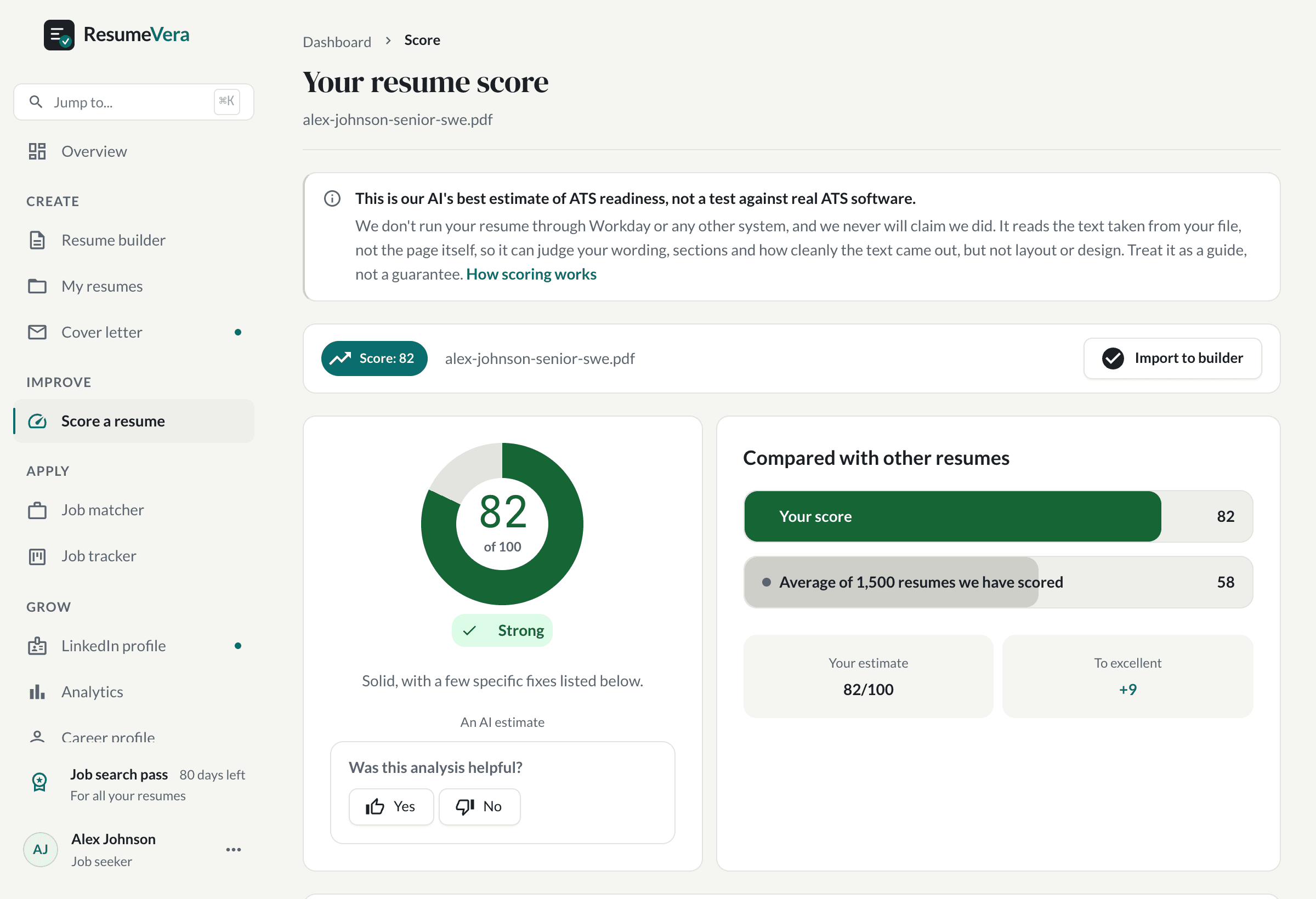
The real score page, with a sample resume and sample scores.
Now check it against your own resume
An honest resume score in seconds. No account, no card.