ResumeVera in a little over a minute
A short tour of ResumeVera with sample data, from finding a job to comparing offers. Each part is one of the demo videos, in full or as an excerpt.
Chapters
What the video shows
1:14 long, with captions and no sound. Every person and employer in it is invented.
Title card
Find jobs you can actually get, with the evidence: employers’ own job boards, government sponsor registers and the posting’s own words.
Captions: “ResumeVera, in a little over a minute”
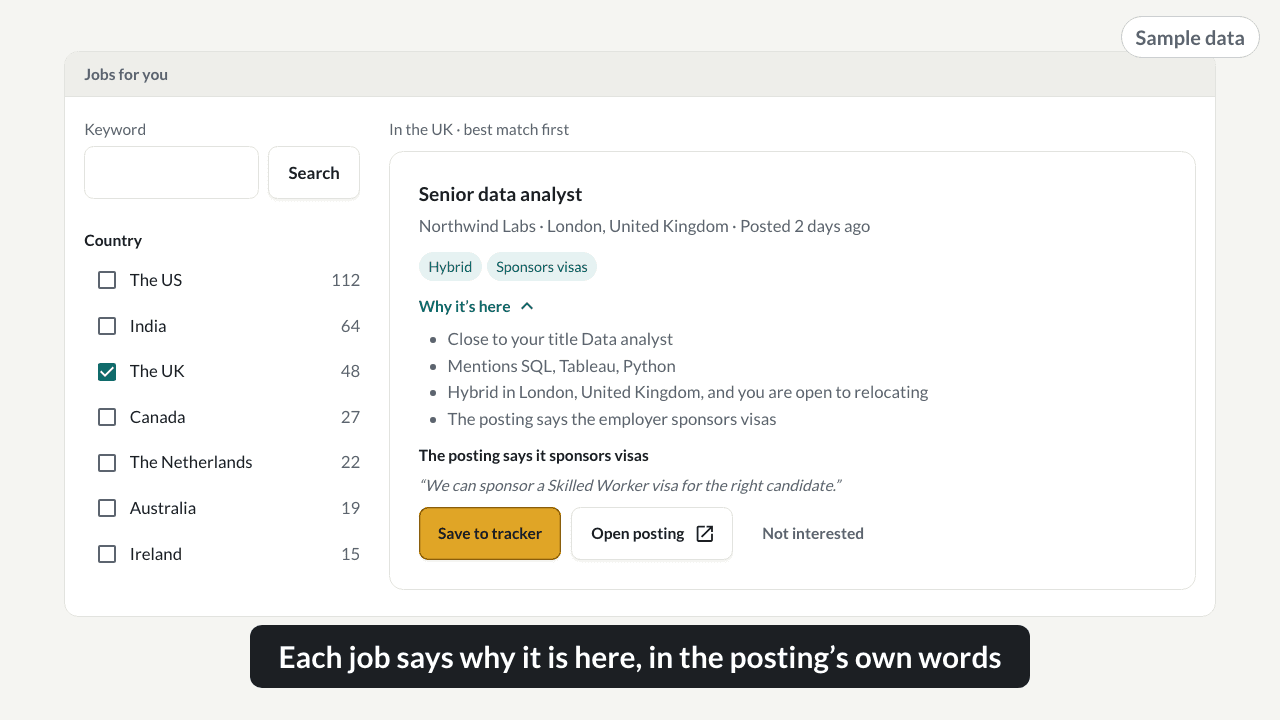
Jobs for you, ranked for your resume
Jobs for you reads the job boards employers run themselves in seven countries, ranks what is open against your resume and where you can work, and says why each job is on the list.
Captions: “Jobs from employers’ own boards, ranked for your resume” “Filter by country, way of working and when it was posted” “Each job says why it is here, in the posting’s own words”
Watch the full videoCan I apply? Who a posting is open to
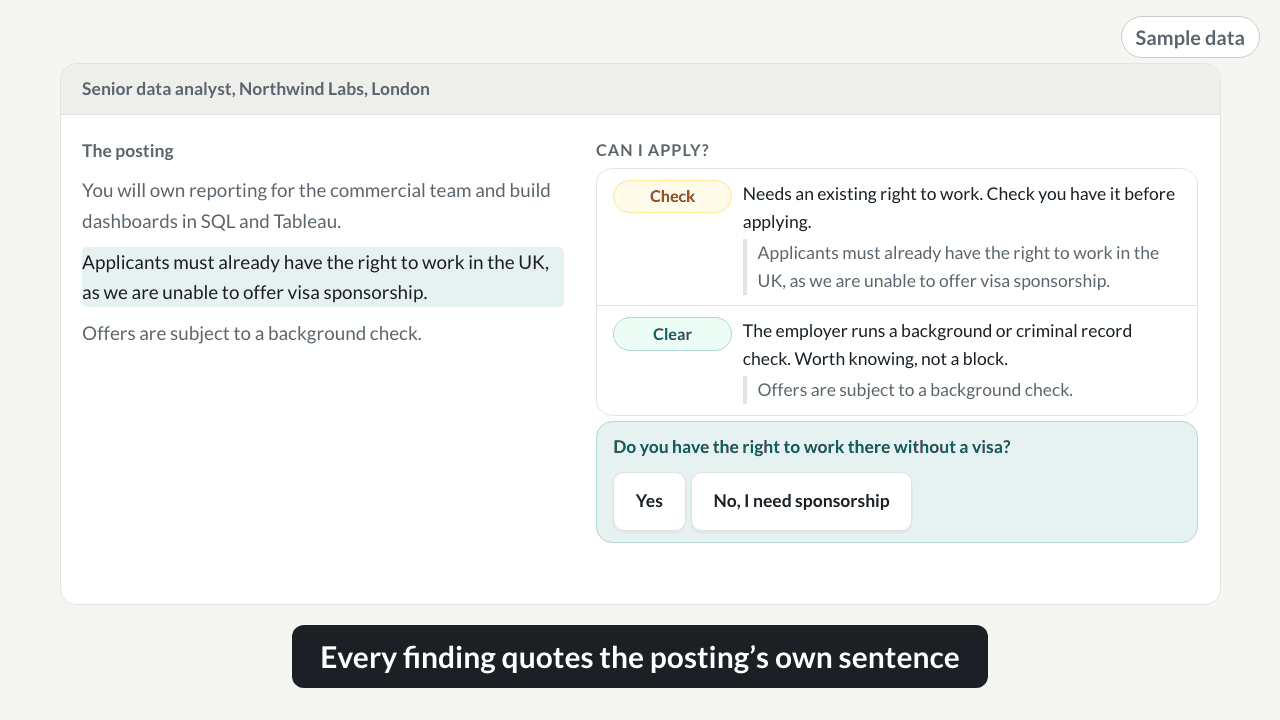
Can I apply reads a posting for who the job is open to: the right to work, sponsorship, clearances and languages. Each finding quotes the sentence it came from, so you can check it in a second.
Captions: “Every finding quotes the posting’s own sentence”
Watch the full videoCheck an employer on the UK sponsor register
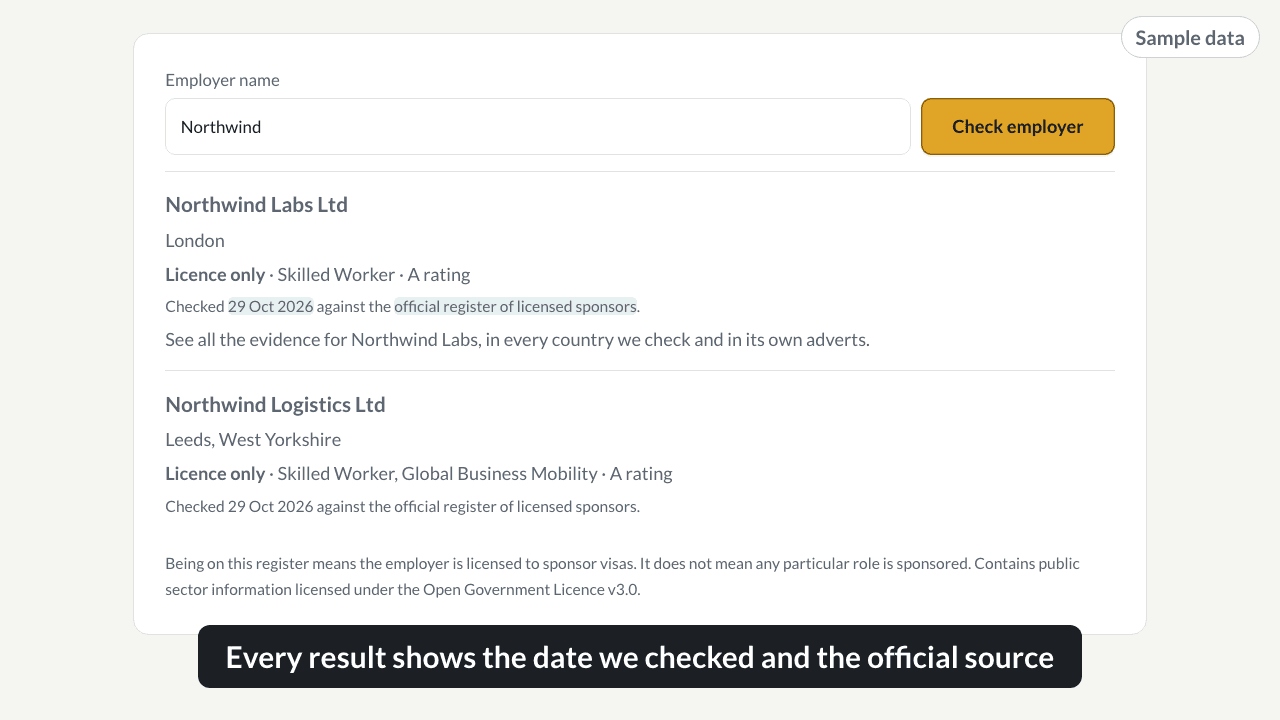
Check whether an employer is on a government list of licensed visa sponsors. Every result carries the date we checked it and a link to the official source.
Captions: “Every result shows the date we checked and the official source”
Watch the full videoCheck before applying: reposted and long-open roles
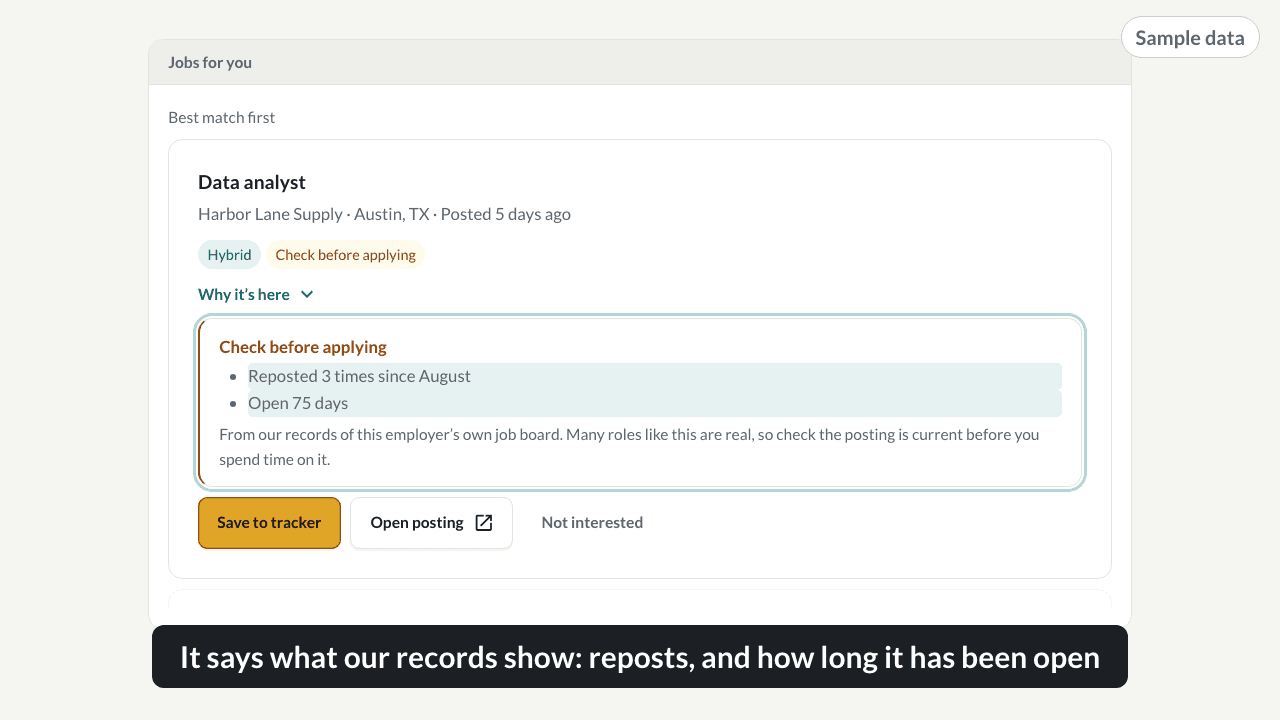
Some roles on Jobs for you carry a Check before applying badge. It says what our records of the employer’s own job board show, such as a role reposted several times or open for a long time.
Captions: “It says what our records show: reposts, and how long it has been open”
Watch the full videoWhat an ATS reads from your resume
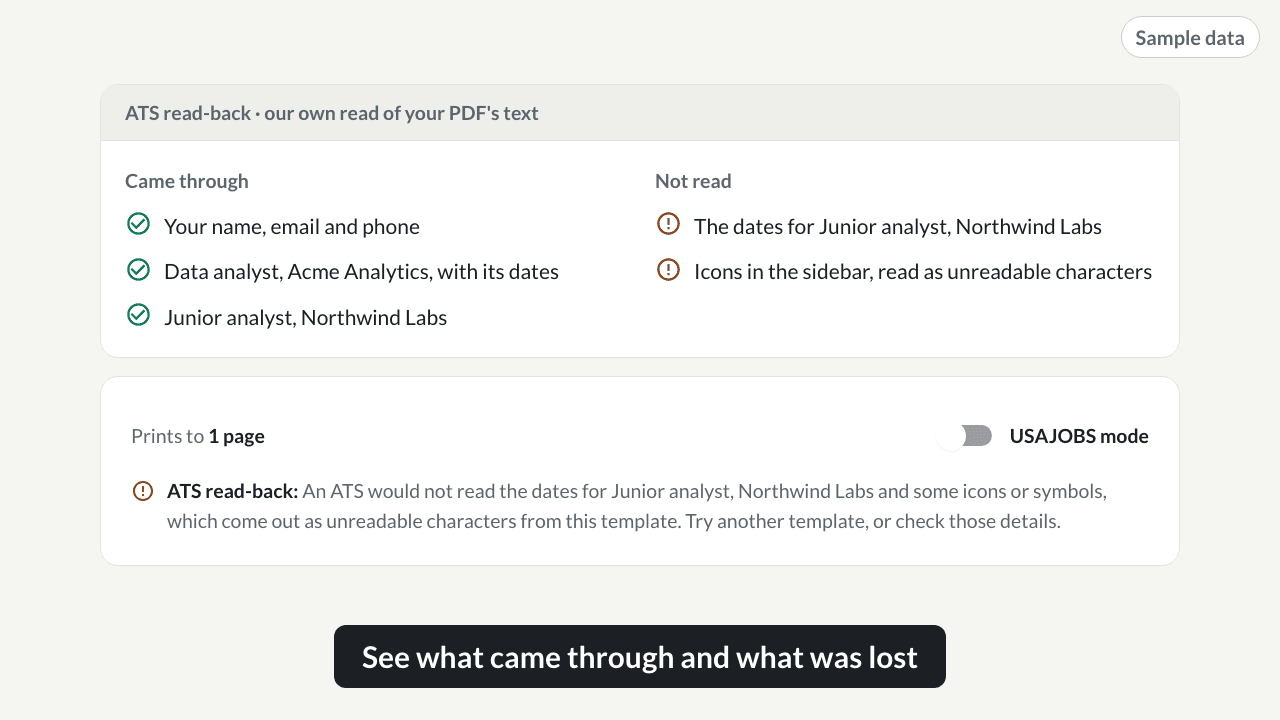
When you export from the resume builder, we read the text back out of your PDF and name anything that did not come through. It is our own read-back, not an employer’s system.
Captions: “Export your resume, and we read the PDF back” “See what came through and what was lost” “Switch template, and check again”
Watch the full videoTailoring with nothing made up
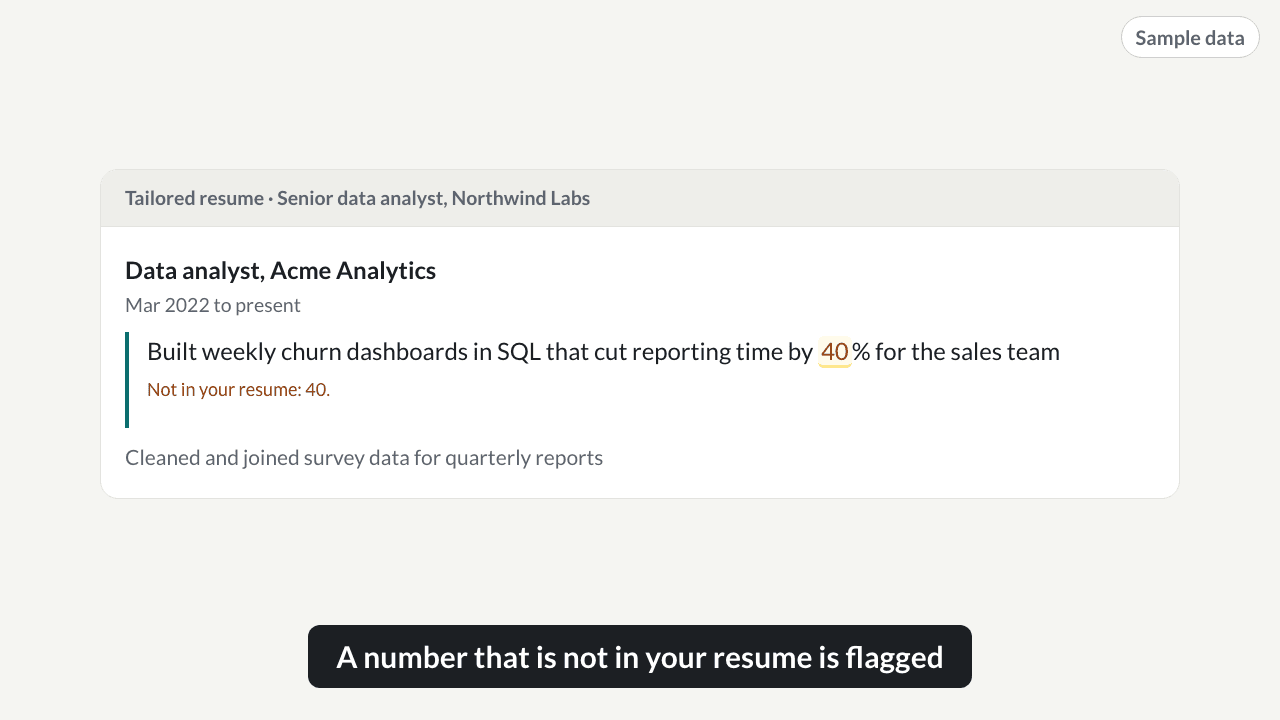
Every draft is checked against your resume after it is written: a number, an employer or a skill you never gave is flagged. This video shows the check on a tailored bullet. Cover letters and application answers use it now, and resume tailoring is being rebuilt around it.
Captions: “Tailored to the job description” “A number that is not in your resume is flagged” “We kept your original wording here”
Watch the full videoMock interview practice with a published rubric
Mock interview practice asks questions for the role you want, grades each answer on a published four-part rubric, and follows up on the weakest part, the way a real interviewer would.
Captions: “Each answer is graded on a published rubric”
Watch the full videoA story bank built from your own resume
The story bank keeps your interview stories in situation, task, action and result form. Stories are drafted from bullets on your own resume, and nothing is used until you approve it.
Captions: “Gaps stay as placeholders, and anything new is pointed out”
Watch the full videoJob tracker and how your applications are going
The job tracker keeps every application on one board, by stage, and shows how your search is going from the board itself.
Captions: “Every application on one board” “How your applications are going, from the board itself” “Replies by fit level, once there are enough to compare”
Watch the full videoCompare job offers side by side
Record each offer from its card on the job tracker, and compare them term by term: pay, bonus, equity, start date, location and notice.
Captions: “Higher base pay is marked, and it says that is base pay only”
Watch the full videoClosing card
Every result shows its source, and you always press submit.
Captions: “resumevera.com”
About it
What this part of ResumeVera does
Every person and employer in these videos is invented, and every screen is drawn by the product’s own components. The videos have no sound; the captions carry everything.
More videos
See the rest of it work
 0:12
0:12Jobs for you, ranked for your resume
Sample roles from fictional employers' own job boards, ranked for a sample resume, narrowed to the UK with a filter, and one role opened to show why it is there, quoting the posting on sponsorship.
 0:12
0:12Can I apply? Who a posting is open to
A sample posting is read for who can apply: each finding quotes the posting's own sentence, and one answer about the right to work turns Check into Blocked for a sample candidate who needs sponsorship.
 0:12
0:12Check an employer on the UK sponsor register
A fictional employer is looked up on the UK register of licensed sponsors; each result shows its route, the date it was checked and the official source, with the note that a licence is not a sponsored role.
 0:12
0:12Check before applying: reposted and long-open roles
A sample role carries a Check before applying badge, with what the import records show: reposted three times and open for 75 days, worded as a prompt to check, not a verdict.
 0:12
0:12What an ATS reads from your resume
A sample resume is exported, read back from its PDF text, and the dates and icons that did not come through are named, then fixed by switching template.
 0:12
0:12Tailoring with nothing made up
A tailored bullet adds a number the sample resume does not have, the number is flagged, and the original wording is kept.
Find jobs you can actually get
Jobs from employers' own boards, with the evidence. Free to look. One payment if you want more, never a subscription.
No card to start · One payment · Nothing renews